
Window Peeper AI: Turn One Photo Into a Viral Night-Window Dance
Upload one portrait and the AI places you inside a lit brick-apartment window after dark, pushes the camera in from the street, and sets your character grooving to a glowing mini speaker, all synced to the reference audio.
STUDIO WORKBENCH
By uploading, you confirm you're 18+, have permission to use this photo (no celebrities), and agree to our Terms of Service and Privacy Policy.
Watch Window Peeper AI Videos Made Behind the Glass
Three characters, one camera move: a street-level view of the apartment block, a push-in to the only lit window and a solo groove that keeps playing after the camera arrives.
What Is the Window Peeper Trend and Where Did It Come From?
The format appeared in October 2026 and spread through TikTok and CapCut as a short, wordless clip. The camera pretends to be a passerby on the street, holding on a brick façade where almost every window is dark before creeping toward the one warm rectangle of light. Inside, a character is doing something private and ordinary until they notice the lens, stop, stare back at the viewer and close the curtains. The joke is the reversal: the person you thought was being watched is watching you back.
The commonly cited timeline starts on October 11, 2026, when Instagram creator @karina.aicontent posted an AI concept ad built around a man eating a burger in a lit window. MakeViral reports more than 25 million views, though that figure comes from a third-party tracker and the original post is access-restricted, so treat it as a reported milestone rather than a verified number. On October 13, @koffeeshots swapped a television actor's face into the same window, the step that turned a single AI ad into something other people could copy.
The format became a real template on October 20, 2026, when a CapCut project titled Window Peeper appeared on the official template page. At the time it was captured, the page listed 172.27K uses and 4.54K likes, required one video clip and exported at 9:16. TikTok creator @therealrodentspawn pushed the same idea with 'Try this filter yourself,' and through October 20 to 22 the window filled with Mr Bean edits, athletes, television personalities and pets. The dog and cat versions widened the audience beyond people who wanted to put themselves in the frame.
Nobody can prove who made the first Window Peeper clip: trackers credit different accounts, view counts differ between sites, and the earliest Instagram post is hard to verify independently. What is clear is the reusable asset: the night façade, the single lit window, the push-in and the caught-in-the-act eye contact. That structure survives every remix, whether the person inside is eating, staring back or dancing.
This template is the dance remix of that structure. It keeps the exterior wide shot and the street-to-window push-in, then replaces the burger payoff with a character who cannot stop moving: a solo dancer grooves in front of a cube speaker whose neon ring pulses on the window table. The camera stays outside the glass, so the performance reads as something you were not supposed to see. Upload one photo and the pipeline places your identity in that window, rebuilds the brick wall and warm room, and reproduces the same 12-second camera move and audio timing.
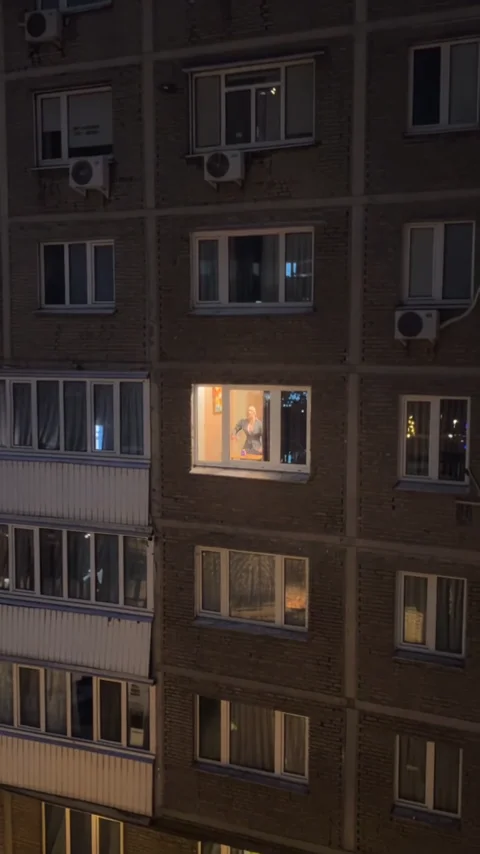
How One Photo Becomes a Night-Window Dance Video
The pipeline reads the face, hair and outfit in your portrait, seats that identity inside the lit window, rebuilds the brick façade and the warm interior, and reproduces the street-level push-in on the same 12-second timeline.

Who Can Star in Your Window Peeper AI Video?
Anyone with one clear portrait can be the person caught mid-dance, from a suited fitness coach to a pet in a hoodie or a deadpan vintage gentleman.
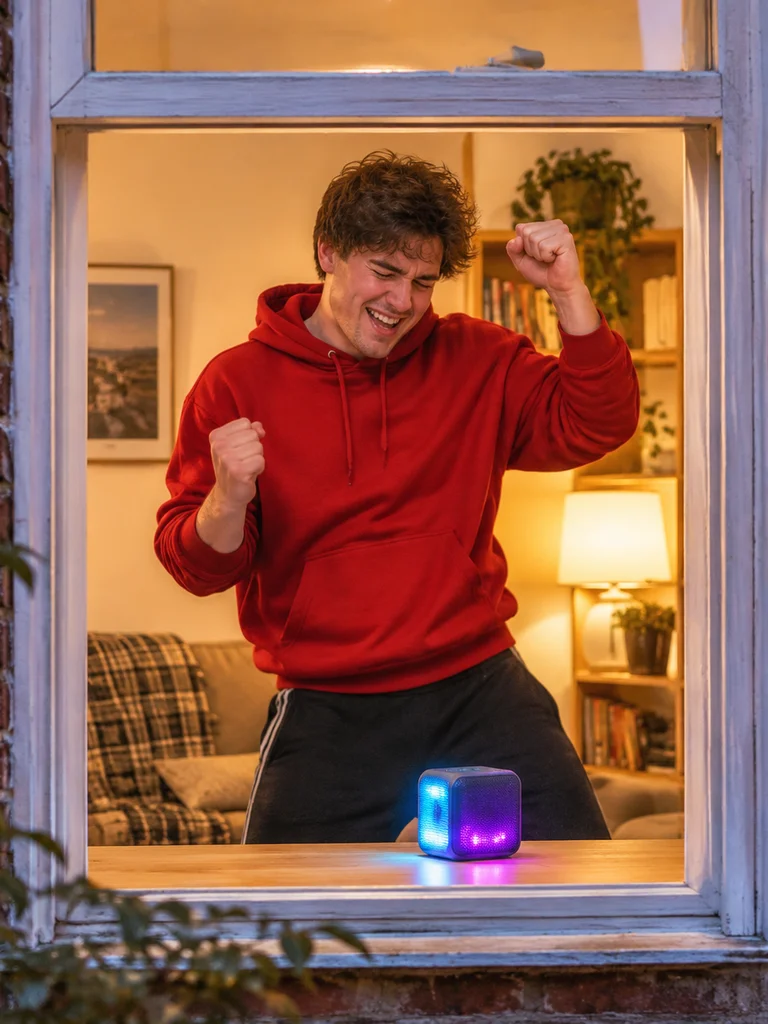
MIDNIGHT BEDROOM GROOVER
Unleash pure relatable solo party vibes. Caught through the window having the time of his life, grooving and fist-pumping to a glowing mini speaker like nobody is watching.
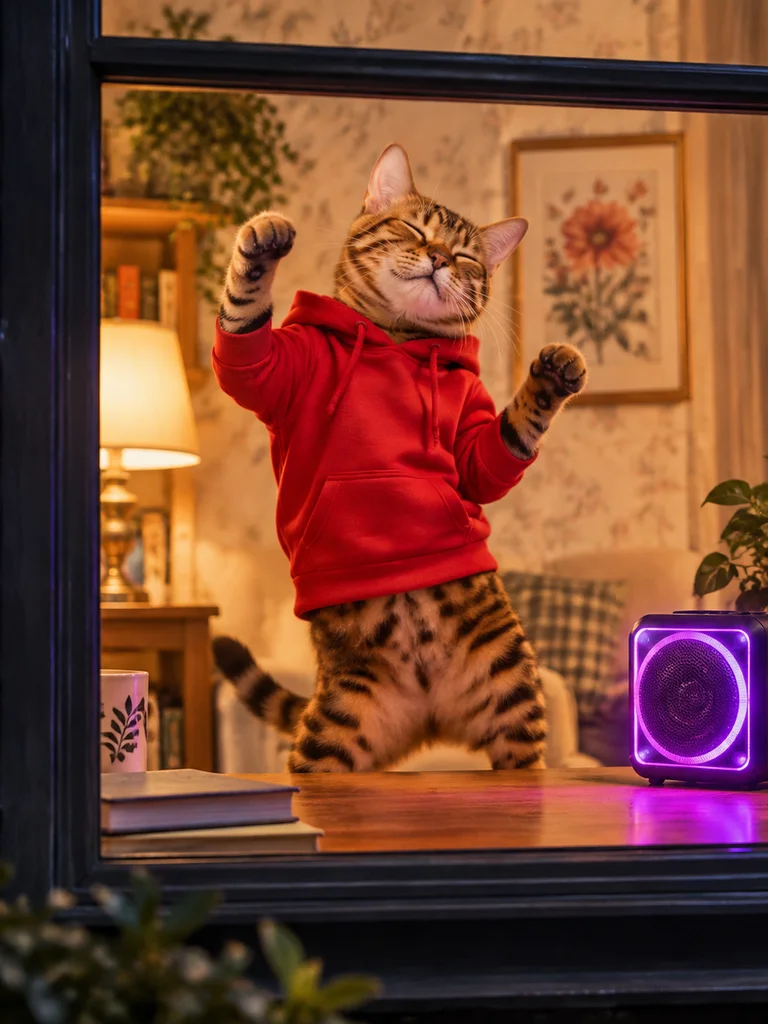
THE PARTY ANIMAL BENGAL
Turn your beloved pet into a late-night viral legend. An adorable anthropomorphic Bengal cat in a red hoodie dancing on two legs to neon club beats creates instant meme gold.
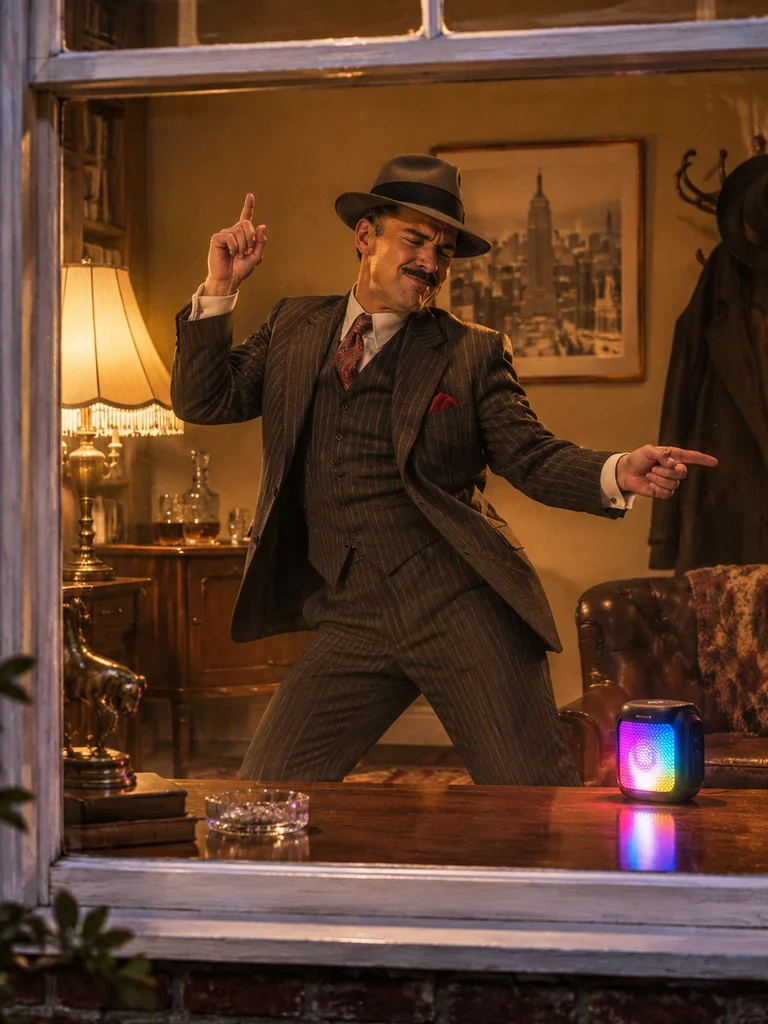
THE DISCO MOB BOSS
Inject cinematic charisma into hilarious candid comedy. A sharp-dressed 1950s gentleman dropping his ruthless persona to bust out funky dance moves behind closed blinds.
What Happens in the 12-Second Window Peeper AI Video? Shot by Shot
The clip moves through four beats: a wide night view of the apartment block, a push-in to the lit window, a medium shot of the dancer locking eyes with the camera, and a closer dance at the glass before the clip ends.
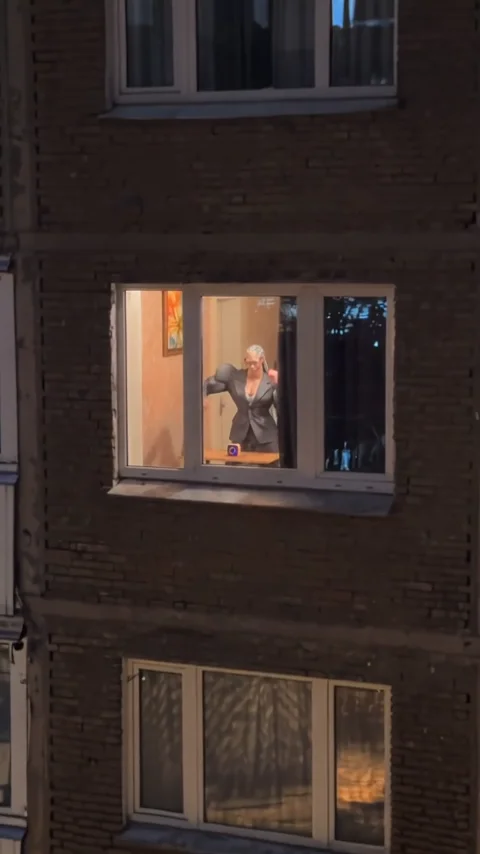
Night Street Wide Shot
The clip opens from the street on a dark brick apartment block. Rows of windows are unlit, and one warm rectangle in the middle of the wall glows against the blue-black night. The camera holds still so you can scan the façade before the move begins.
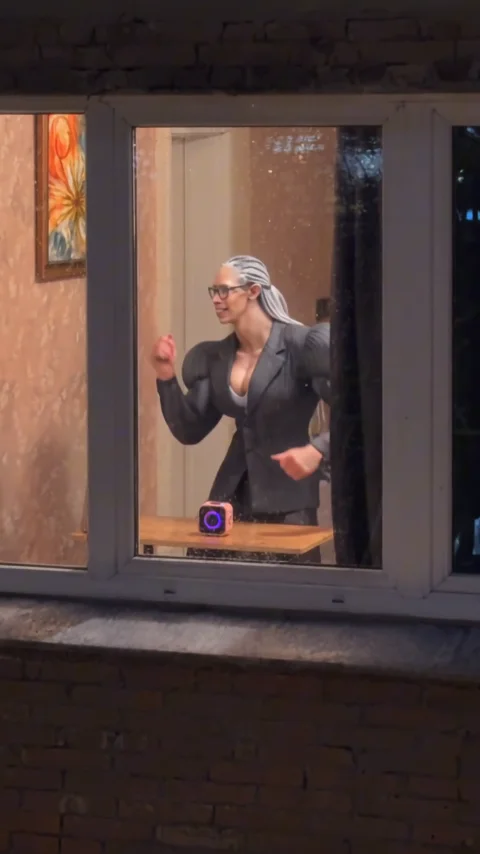
Push-In to the Lit Window
The lens creeps toward the glowing window. The white frame and stone sill grow until they fill the shot, and a silver-haired dancer in a fitted black suit appears behind the glass, moving in front of a wooden table where a cube speaker throws a neon ring of light.
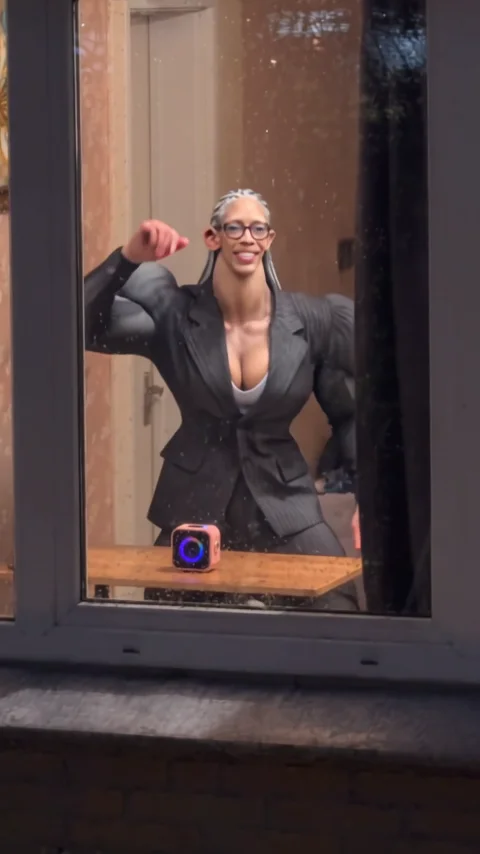
Eye Contact and Groove
The camera settles into a medium shot through the glass. The dancer rolls her shoulders, pumps her fists and leans into the beat, then glances straight at the lens. Warm lamp light and a framed picture behind her keep the room readable while the brick wall frames the edges.
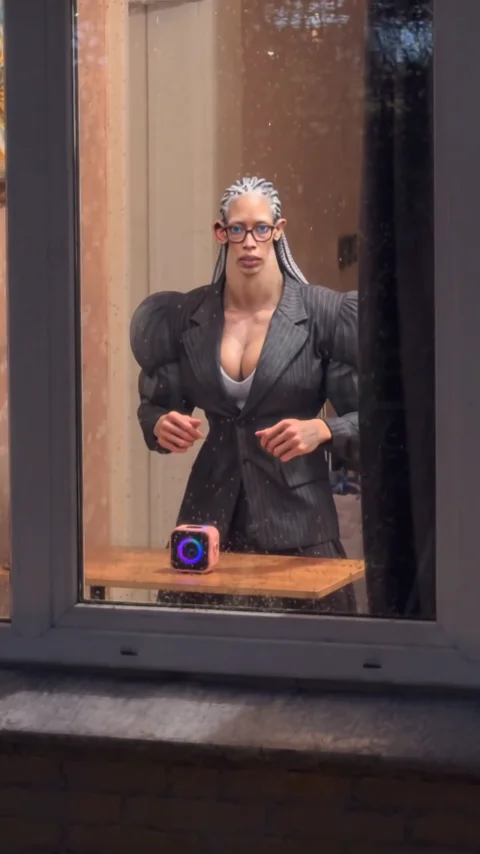
Close Dance at the Glass
The move ends close to the window. The dancer keeps grooving as the speaker ring pulses pink and blue and faint reflections slide across the glass. The clip stops on the dance rather than a curtain pull, so the performance is the payoff.
How to Make a Window Peeper AI Video in 3 Steps
Upload one portrait, pick a resolution tier and generate a finished 12-second vertical clip with the night façade, the push-in and the synchronized dance already built in.
Upload One Character Photo
Add a clear, front-facing portrait of the person, pet or character who should be caught in the window. Bright, even light and visible head and shoulders give the cleanest identity match.
Pick Your Resolution Tier
Choose standard 480P (45 credits), 720P HD (90 credits) or 1080P Ultra (180 credits) depending on where the clip will be posted.
Generate and Download
Hit generate and the cloud pipeline renders the night façade, the window push-in and the dance with the synchronized track. Download the watermark-free MP4 and upload it straight to your channel.
Photo Tips for a Cleaner Window Peeper AI Video
Use one sharp, evenly lit, front-facing portrait so the identity holds up when the camera pushes in and the dancer turns through the beat.
Recommended Best Practices
Show the full head and shoulders
The push-in ends on a medium shot through the glass, so a readable face and shoulder line keeps the identity convincing when the window fills the frame.
Use even, natural light
Soft front lighting keeps skin tones stable as warm interior light meets the cool night exterior at the glass, and prevents the face from flattening.
Keep the expression relaxed and confident
A calm, self-assured look fits the caught-in-the-act framing better than a forced pose and gives the pipeline a stable reference for facial motion.
Wear visible upper-body clothing
The dancer is framed from the waist up for most of the clip, so a jacket, hoodie or collar helps the outfit transfer read cleanly against the warm room.
What to Avoid
Avoid sunglasses and face masks
Covered eyes remove the landmarks needed for blinks, glances at the camera and the expression that sells the performance.
Do not use group photos
Several faces create ambiguity about who should be in the window. Use a single clear subject instead.
Avoid heavy filters and stickers
Aggressive smoothing or AR overlays distort natural contours and can flicker when the head turns during the routine.
Skip low-resolution screenshots
Compressed images from chat apps lose fine detail, which weakens the face match as the camera moves closer to the glass.
Window Peeper AI Video Pricing and Credit Packs
Pay once, create when the trend peaks. Credits never expire, and failed generations are refunded automatically.
Starter
Makes 1× 480P standard video
Creator
Makes 1× 720P HD (or up to 3× 480P)
Studio
Makes 1× 1080P Ultra (or up to 6× 480P)
Frequently Asked Questions About Window Peeper AI
Everything you need to know about pricing, music sync, video duration, and photo compatibility.
A generation costs 45 credits at standard 480P, 90 credits at 720P HD and 180 credits at 1080P Ultra.
One-time packs start at 6.99ドル for 50 credits, with larger Creator and Studio packs also available and no recurring subscription.
Ready to Get Caught Dancing in the Window?
Upload one portrait and let the AI put you behind the glowing glass, push the camera in from the dark street and sync your groove to the mini speaker.
No credit card required to explore • Instant cloud access
Disclaimer: This service is an independent AI generative parody and meme creation tool for transformative entertainment and commentary purposes. It is not affiliated with, endorsed by, or sponsored by any artist, record label, or music publisher. All musical elements and choreography are generated under transformative fair use principles.