
Dog Elevator AI: Turn Two Photos into the Viral Elevator Prank
Upload a photo of the prankster and a photo of the victim, and the AI stages the whole luxury-elevator ambush: the button press, the doors sliding open, the shove and the shoes landing on the marble floor.
STUDIO WORKBENCH
By uploading, you confirm you're 18+, have permission to use this photo (no celebrities), and agree to our Terms of Service and Privacy Policy.
Watch Dog Elevator AI Prank Videos From the Golden Lobby
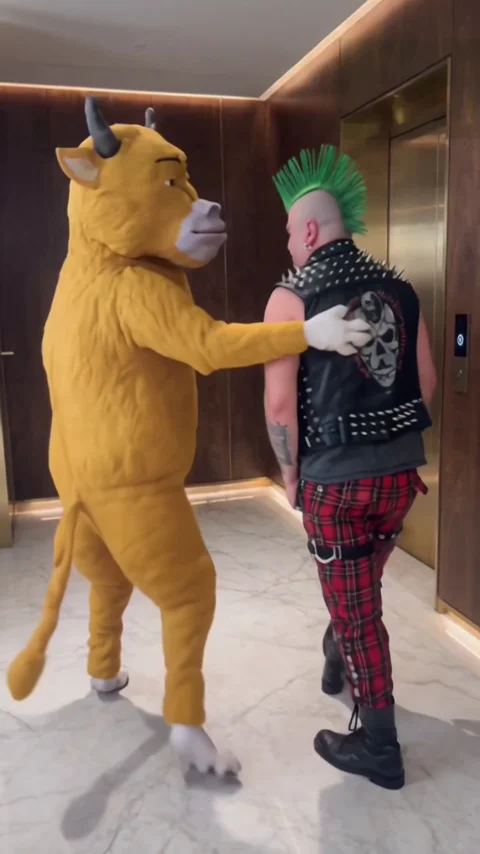
Three duos, one walnut-and-marble elevator hall: a mascot and a punk, a husky and a businessman, a brown bear and a biker, all heading toward the same ambush.
What Is the Dog Elevator AI Trend and Where Did It Come From?
The format is a short, dialogue-free comedy with a simple six-beat structure. An animal stands upright and walks beside a person toward the elevator, pats their back, then presses the call button. When the doors open, the person bends down to take off their shoes. The animal suddenly shoves them into the cab, throws the shoes in after them, and walks away as if nothing happened. The whole scene runs about 15 seconds and needs no language to land.
The trend appeared in early November 2026. The earliest publicly tracked version is a golden retriever clip posted by @amelioselena on TikTok on November 2, 2026, carrying TikTok's AI-generated label; MakeViral recorded roughly 1,879 views by November 5. On November 3, other accounts posted white-dog versions, including @royalshepherd59 with around 525 views. Tracker figures are third-party estimates, not proven authorship.
Around November 4, tutorials began explaining how to make the clip. By November 5 and 6 it had been templated, with TikTok captions like 'Giant upright dog pushes guy into the elevator' and CapCut and AI video sites offering the same effect. Husky, cow, bear and other animal variants followed. The trend is still early and template-driven, but the structure is clear: one lobby, two characters, one shove.
The reason it travels is role reversal. In daily life the animal is the one being managed; here the animal runs the elevator and the person ends up on the floor. The joke is legible anywhere, the story fits one short clip, and the cast is easy to swap. You can replace the original dog with a husky, a bear, a mascot or a household pet without touching the camera move.
This template is the two-photo luxury-lobby version of that prank. It moves the action into a hotel elevator hall with dark walnut paneling, veined marble floors, a blue-lit call button and brushed-gold doors. Picture A becomes the prankster who delivers the shove, and Picture B becomes the victim who ends up on the cab floor while the mascot leans over the threshold. The camera stays wide at eye level, so it reads like security footage.
Do not confuse this with the 2023 Dog Elevator Song. That earlier trend came from @macrosbymel on August 8, 2023, when a dog named Rue was nervous about riding an elevator and the owner sang 'She's so brave, she's well behaved, she is not afraid.' It collected roughly 18.5 million views in about three weeks. The 2026 prank has a different premise, source and payoff: it is an AI-generated clip, not a song-driven challenge.
How Two Photos Become a Dog Elevator Prank Video
The pipeline reads the face, hair, body type and outfit in each portrait, casts them into the two elevator roles, rebuilds the walnut-and-marble lobby, and reproduces the button press, door opening, shove and shoe toss on the original 15-second timeline.
Who Can Star in Your Dog Elevator AI Video?
Any pair with two clear portraits can carry the prank, from a suited professional and an upright husky to a trench-coated commuter and a golden retriever or a leather-jacketed rider and a giant Maine Coon.
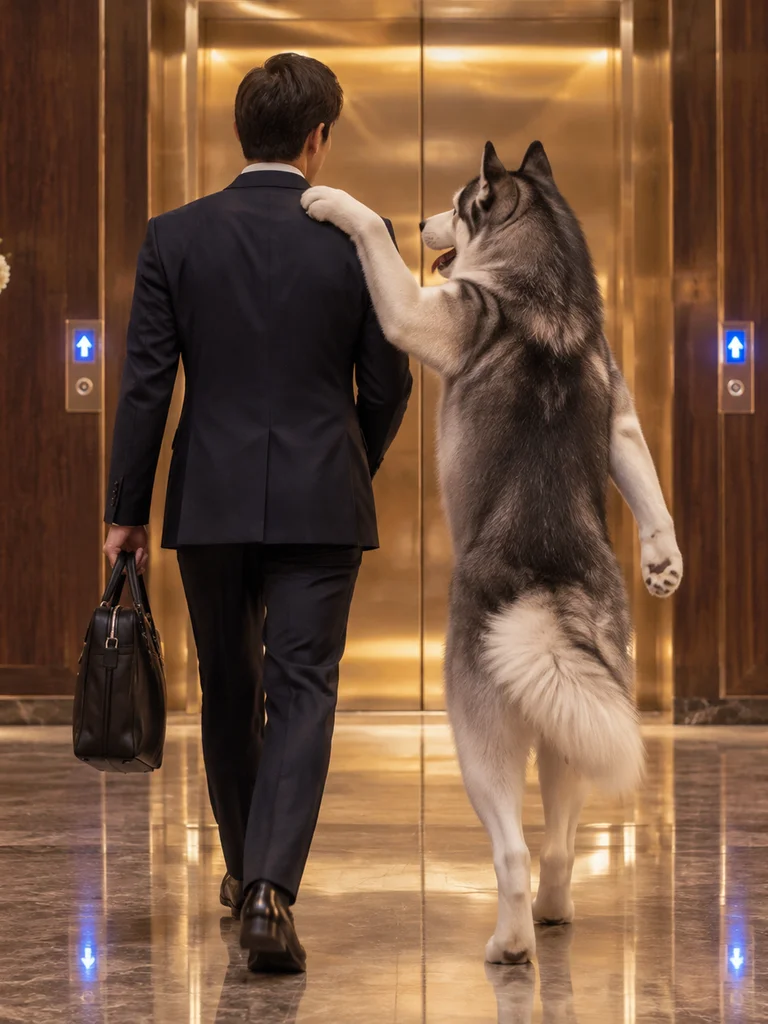
HUSKY BRO ELEVATOR STRIDE
A sharp businessman in a tailored navy suit walks into a luxury hotel corridor alongside a tall Siberian Husky strolling upright on two legs, casually slinging a paw around his shoulder like an inseparable best bro.
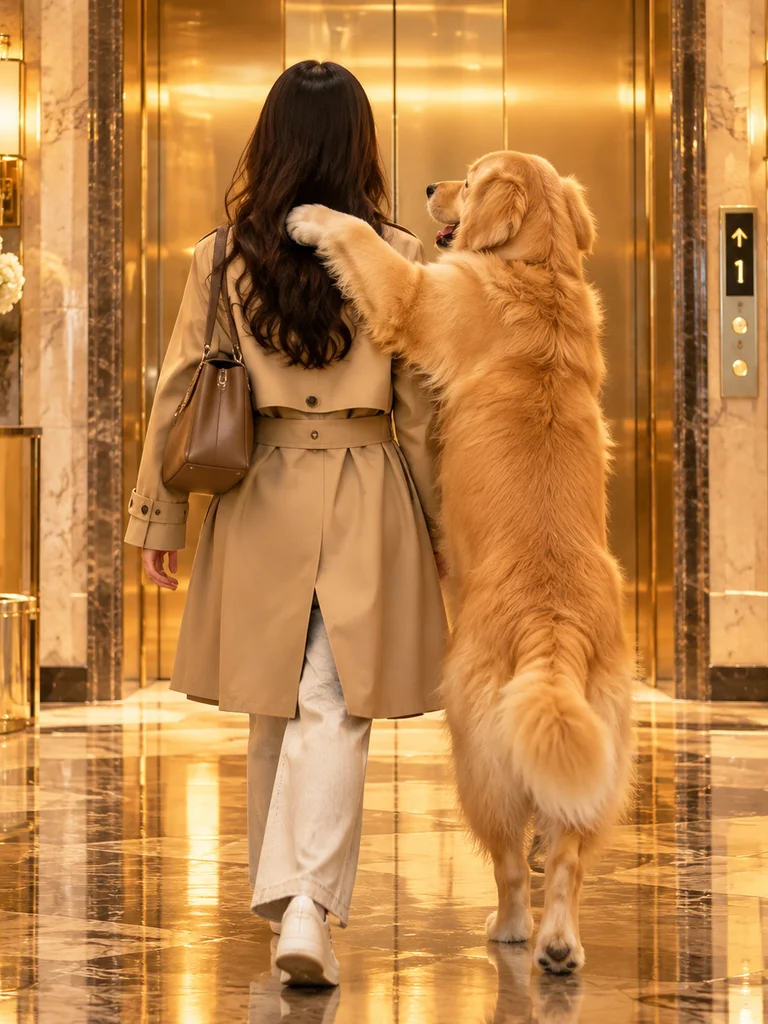
GOLDEN RETRIEVER WARM COMPANION
An elegant woman in a beige trench coat steps toward the golden elevator with a fluffy Golden Retriever walking upright, a gentle paw over her shoulder.
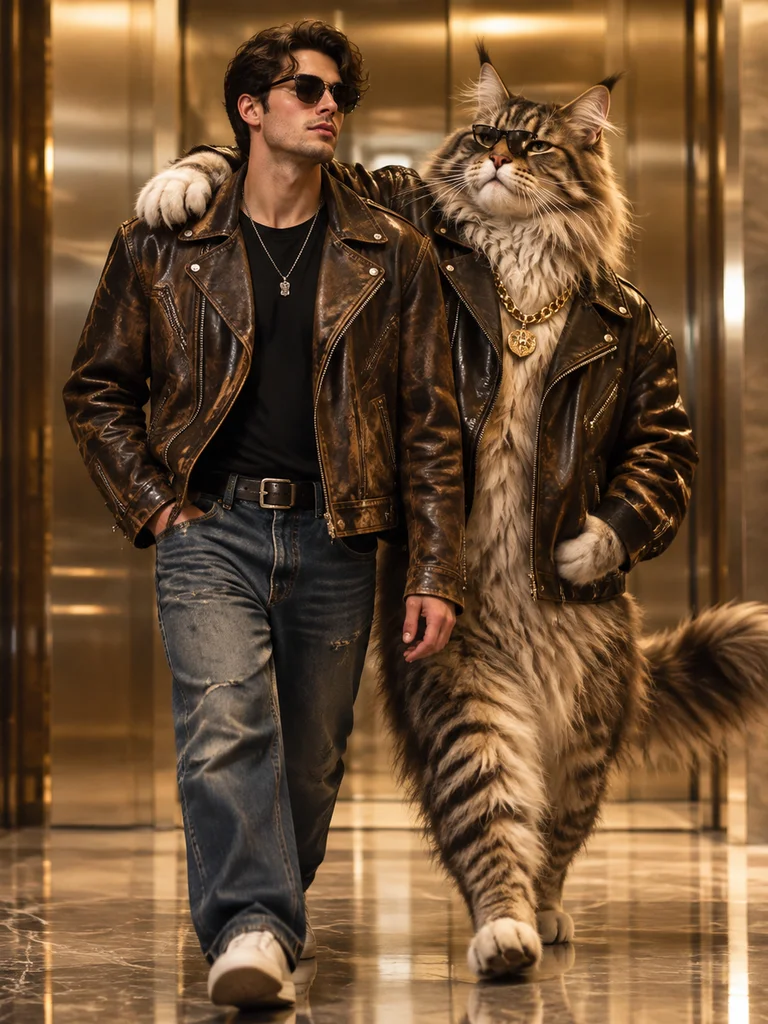
MAINE COON BOSS ELEVATOR SWAGGER
A trendy youth in a vintage leather jacket walks toward the gleaming elevator with a giant anthropomorphic Maine Coon strutting upright, a heavy paw on his shoulder.
What Happens in the 15-Second Dog Elevator AI Video? Shot by Shot
The clip moves through four beats: the call-button wait, the mascot stepping up, the doors opening as the punk bends to remove a boot, and the final frame of him on the cab floor while the mascot leans over the threshold.
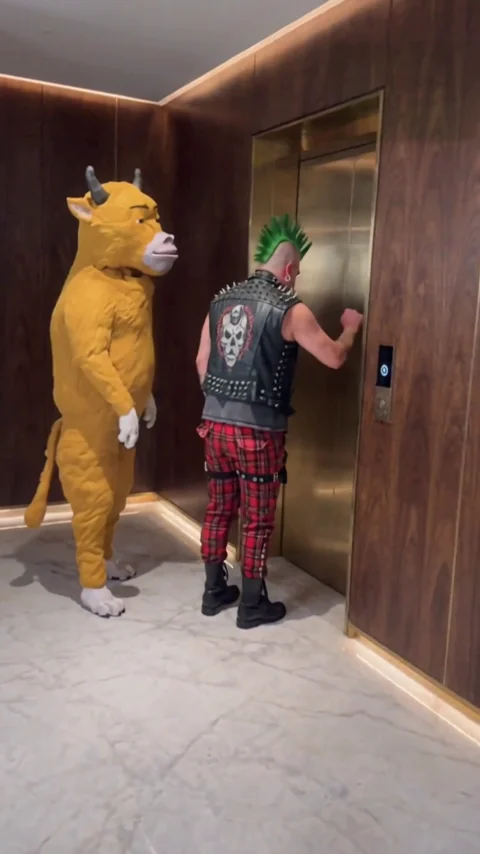
The Call-Button Wait
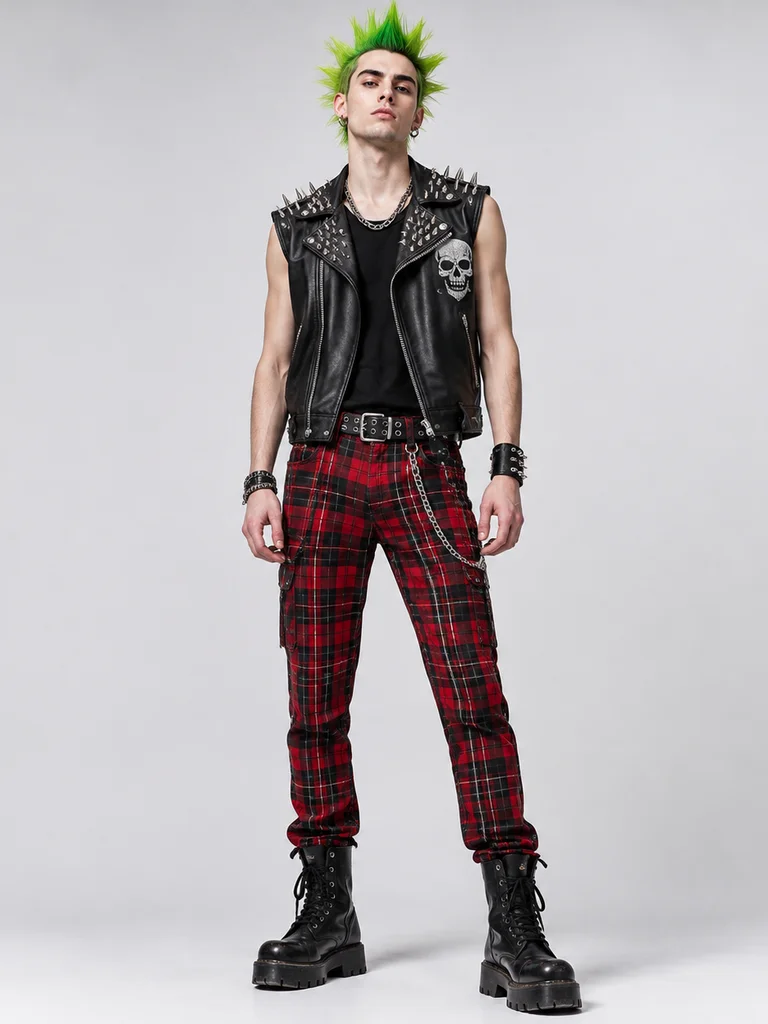
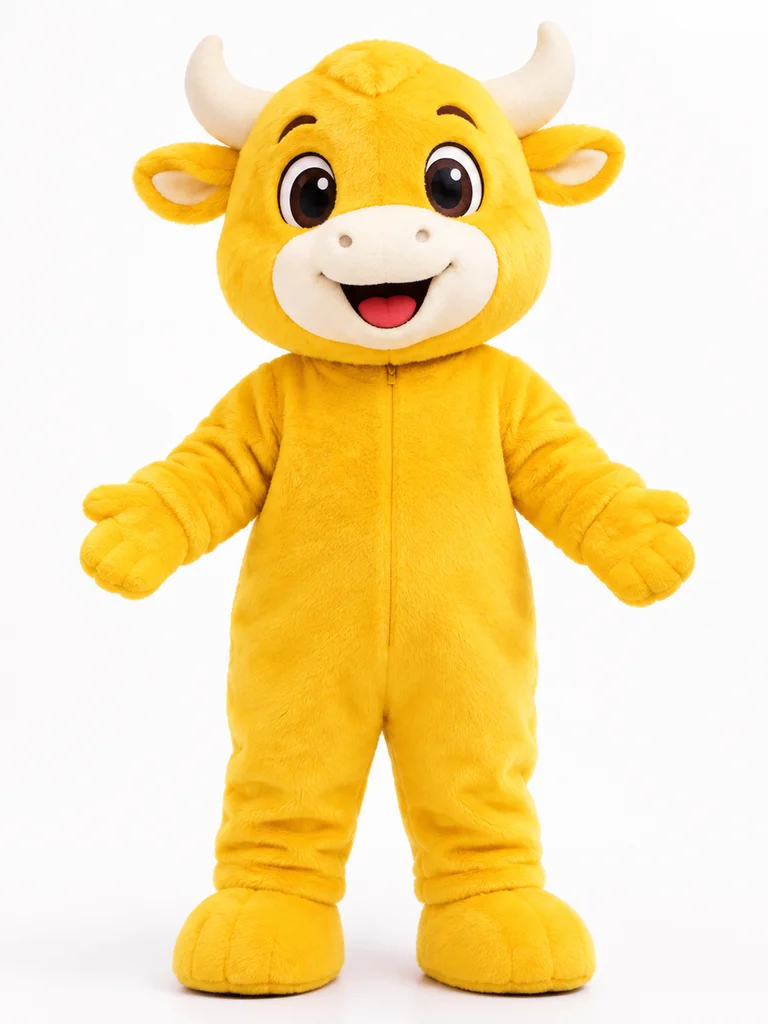
A green-mohawk punk in a studded black leather vest and red plaid trousers reaches for the call panel while a yellow cartoon bull mascot waits a half-step behind him. Dark walnut paneling and warm cove lighting frame the shot.
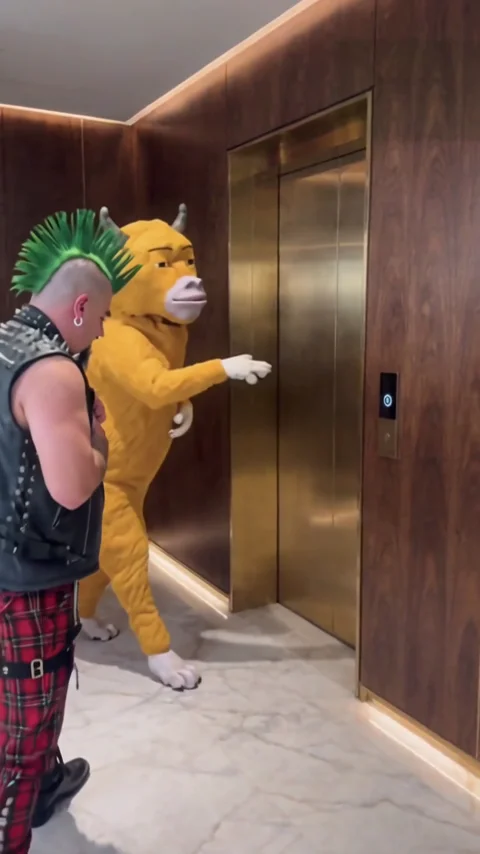
The Mascot Steps Up
The bull mascot leans forward and extends a gloved hand toward the door panel as the punk watches from the left. The camera holds the wide lobby angle with both characters in frame and the gold doors dead center.
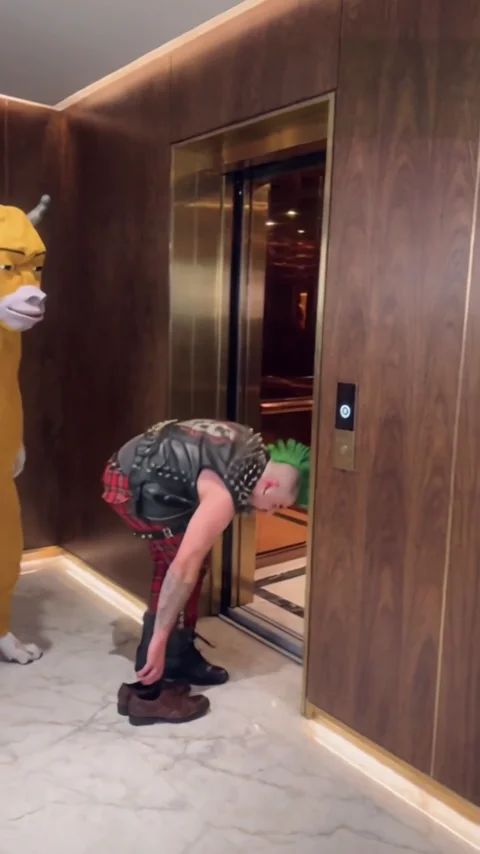
Doors Open, Boot Comes Off
The gold doors slide apart to reveal the mirrored cab. The punk bends and works a black combat boot off his foot in the doorway while the mascot waits at the left edge of the frame.
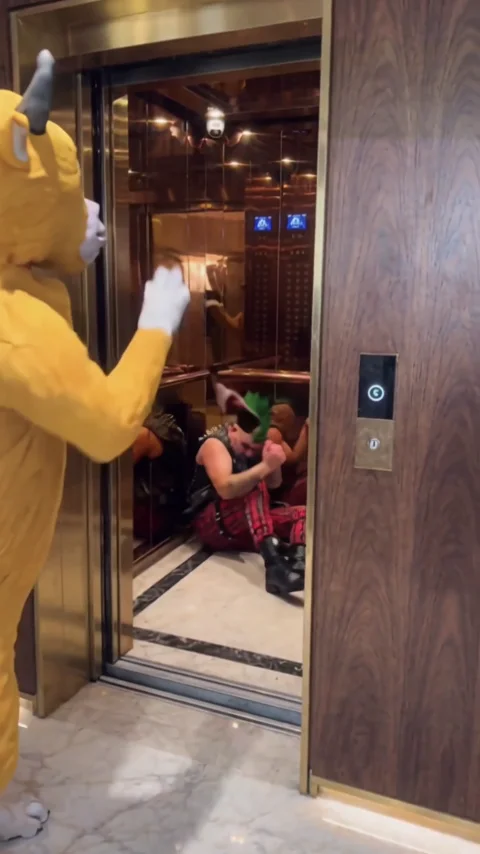
Sprawled in the Cab
The punk ends up on the floor inside the elevator, back against the mirrored wall, while the mascot leans in from the threshold with one hand raised. The doors stay open on the aftermath, and the prank lands without dialogue.
How to Make a Dog Elevator AI Video in 3 Steps
Upload two portraits, pick a resolution tier and generate a finished 15-second vertical clip with the elevator hall, the camera move and the synchronized audio already built in.
Upload Two Character Photos
Add a clear, front-facing portrait for Picture A (the prankster) and Picture B (the victim). Bright, even light with visible face, hair and upper body gives the cleanest match.
Pick Your Resolution Tier
Choose standard 480P (45 credits), 720P HD (90 credits) or 1080P Ultra (180 credits) depending on where you plan to post the clip.
Generate and Download
Hit generate and the cloud pipeline rebuilds the lobby, maps both identities into the roles and renders the button press, door slide, shove and shoe toss with the reference audio. Download the watermark-free MP4 and post it.
Photo Tips for a Cleaner Dog Elevator AI Video
Use two sharp, evenly lit, front-facing portraits so both identities hold up when the camera stays wide and the characters move through the shove.
Recommended Best Practices
Show the full head and upper body
The lobby shot is wide and eye level, so a readable face, hairstyle and shoulder line keep each character recognizable throughout.
Use even, natural light
Soft front light keeps skin tones and costume colors stable against warm cove lighting and reflective marble.
Keep the expressions neutral and confident
A calm, deadpan look suits the security-footage comedy and gives the pipeline a stable reference for facial motion.
Wear visible, distinctive clothing
Jackets, vests, uniforms and standout hairstyles transfer cleanly and help viewers tell the prankster from the victim.
What to Avoid
Avoid sunglasses and face masks
Covered eyes remove the landmarks needed for glances, micro-expressions and the deadpan stare that sells the joke.
Do not use group photos
Several faces make it unclear who should take which role. Use one clear subject per slot.
Avoid heavy filters and stickers
Aggressive smoothing or AR overlays distort natural contours and can flicker when the head turns during the shove.
Skip low-resolution screenshots
Compressed chat-app images lose fine detail and weaken the identity match as both characters move.
Dog Elevator AI Video Pricing and Credit Packs
Pay once, create when the trend peaks. Credits never expire, and failed generations are refunded automatically.
Starter
Makes 1× 480P standard video
Creator
Makes 1× 720P HD (or up to 3× 480P)
Studio
Makes 1× 1080P Ultra (or up to 6× 480P)
Frequently Asked Questions About Dog Elevator AI
Everything you need to know about pricing, music sync, video duration, and photo compatibility.
A generation costs 45 credits at standard 480P, 90 credits at 720P HD and 180 credits at 1080P Ultra.
One-time packs start at 6.99달러 for 50 credits, with larger Creator and Studio packs available and no subscription.
Ready to Stage Your Own Elevator Ambush?
Upload two portraits and let the AI put you and your best friend in the golden lobby, slide the doors open and deliver the quietest, funniest shove on the timeline.
No credit card required to explore • Instant cloud access
Disclaimer: This service is an independent AI generative parody and meme creation tool for transformative entertainment and commentary purposes. It is not affiliated with, endorsed by, or sponsored by any artist, record label, or music publisher. All musical elements and choreography are generated under transformative fair use principles.