
I Love the Smiths AI: Turn Two Photos into the Headphone Scene
Upload a portrait for each person and the AI rebuilds the quiet bench moment: she turns, says she loves the song, he pulls one ear cup aside and smiles back.
STUDIO WORKBENCH
By uploading, you confirm you're 18+, have permission to use this photo (no celebrities), and agree to our Terms of Service and Privacy Policy.
Watch I Love the Smiths AI Videos From the Bench
Three takes on the same song-on-headphones moment: a wizard-school bench duo, an everyday elevator meet-cute and the 2009 source scene.
What Is the I Love the Smiths AI Trend and Where Did It Come From?
The source is a short scene in the 2009 film (500) Days of Summer. Tom stands in an office elevator wearing over-ear headphones, listening to the British indie band The Smiths. Summer steps in, recognizes the song leaking from the cups and says, 'I love the Smiths.' He does not catch it, so she repeats, 'I said I love the Smiths.' He takes the headphones off, and the two strangers start talking about music. She hums a line before the doors open.
The track is 'There Is a Light That Never Goes Out,' released by The Smiths in 1986 on the album The Queen Is Dead. Its romantic, melancholy tone is why the scene reads as a meet-cute, and why so many recreations keep the same headphones setup.
The scene was already a familiar movie meme, but the current wave is newer. Searchlight Pictures posted the official clip on TikTok in February 2024, where trackers record roughly 5.5 million views. Movie-line edits continued through 2025, and on October 21, 2026 @hanan.selini posted a live-action version moved to a park bench, recorded at over 750,000 views.
The AI chapter began on November 5 and 6, 2026, when creators started replacing the original actors with uploaded faces. @battos13 posted an AI elevator recreation on November 5, and TikTok labeled it as AI-generated. AI video sites quickly added dedicated I Love the Smiths templates. These figures come from third-party trackers, not official TikTok statistics, and they do not prove who made the first AI version.
This template is the two-photo bench version of that format. It keeps the fixed close-up, the wood-paneled corridor, the over-ear headphones and the synchronized dialogue, but casts two people from your own photos. Picture A becomes the listener; Picture B becomes the person who turns and speaks first. The camera stays fixed, so the performance lives in head turns, eye contact and small smiles.
That is also why the trend travels. It needs no dance skill and no editing timeline. The story is instantly legible: one person is lost in a song, the other recognizes it, and a stranger becomes a crush in a few seconds. You can cast yourself with a partner, a friend or a celebrity look-alike.
For search, 'I Love the Smiths' is the original meme, 'I Love the Smiths AI' is this generator, and '500 Days of Summer elevator scene' is the long-tail phrase.
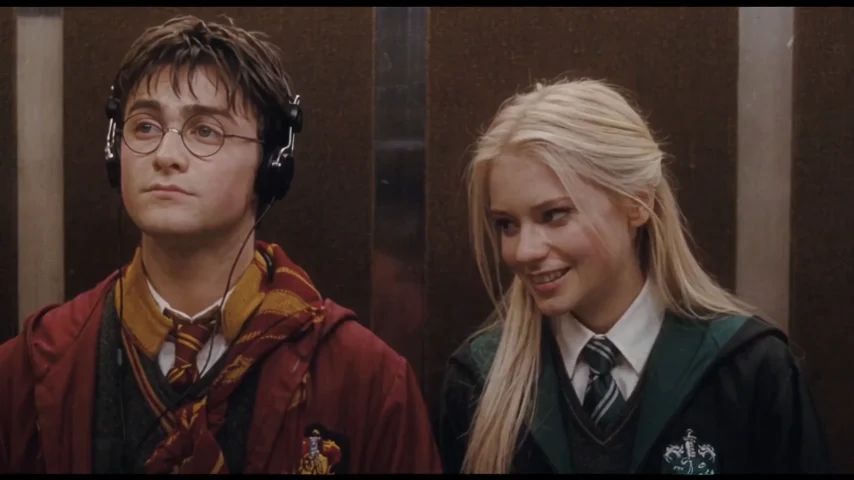
How Two Photos Become an I Love the Smiths AI Video
The pipeline reads the face, hair, build and outfit in each portrait, casts one person as the headphones listener and the other as the one who speaks, then rebuilds the corridor bench, the head turns and the synchronized audio on the original 15-second timeline.

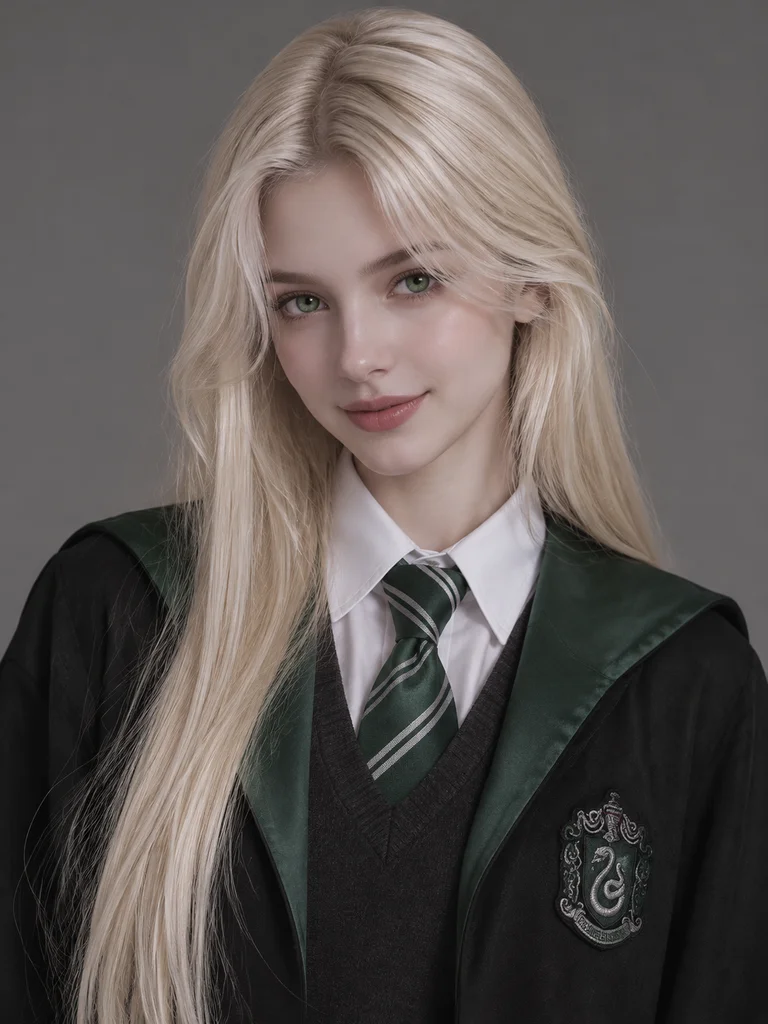
Who Can Star in Your I Love the Smiths AI Video?
Any duo with two clear portraits can carry the scene, from a couple and two best friends to a celebrity look-alike pairing, and the case cards show it working in indie, cyberpunk and regency styles.
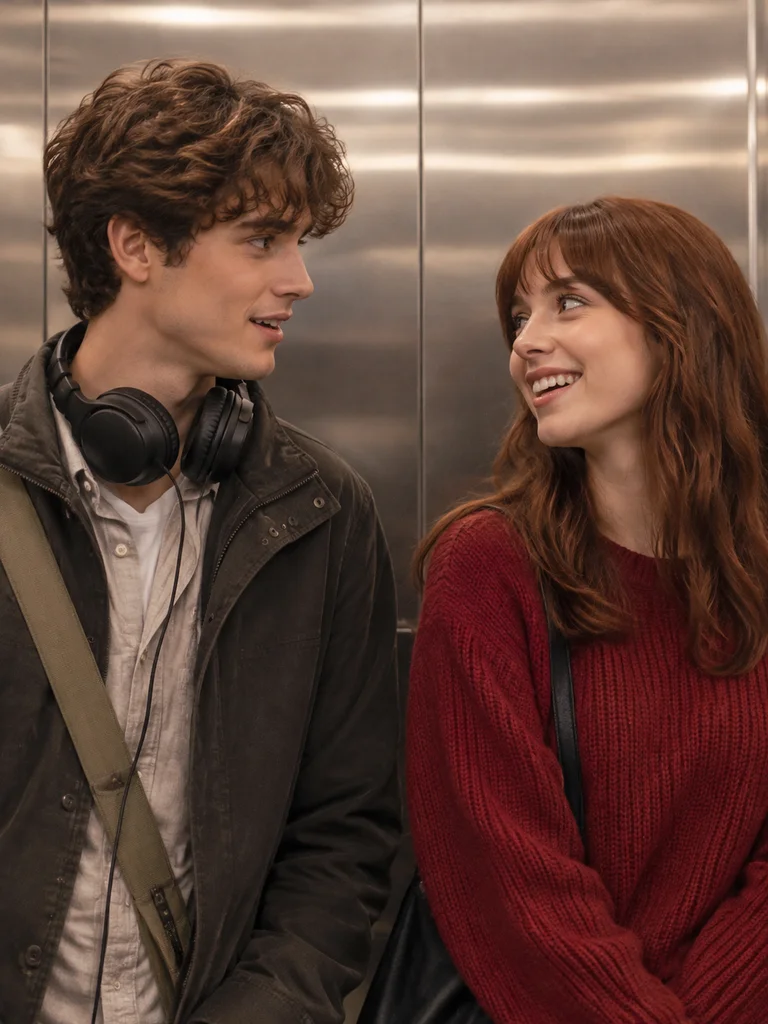
COFFEE SHOP INDIE ROMANTICS
Capture iconic indie romance in a modern aesthetic. A cozy vintage-clad boy with over-ear studio headphones locking eyes with an art-school girl humming his favorite indie track in a brushed metal elevator.
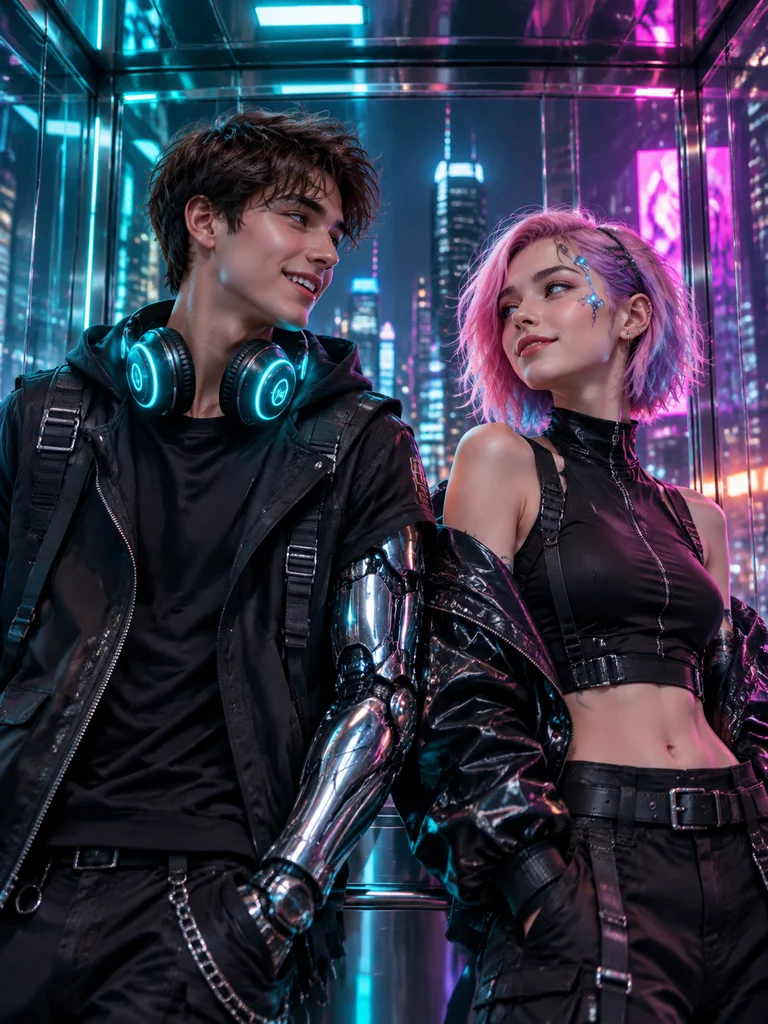
CYBERPUNK ALLEY REBELS
Ignite electric sparks in a neon-drenched dystopia. A streetwise chrome-armed hacker wearing glowing cyber-headphones exchanging smirk remarks with a neon-haired rebel girl in a high-tech elevator.
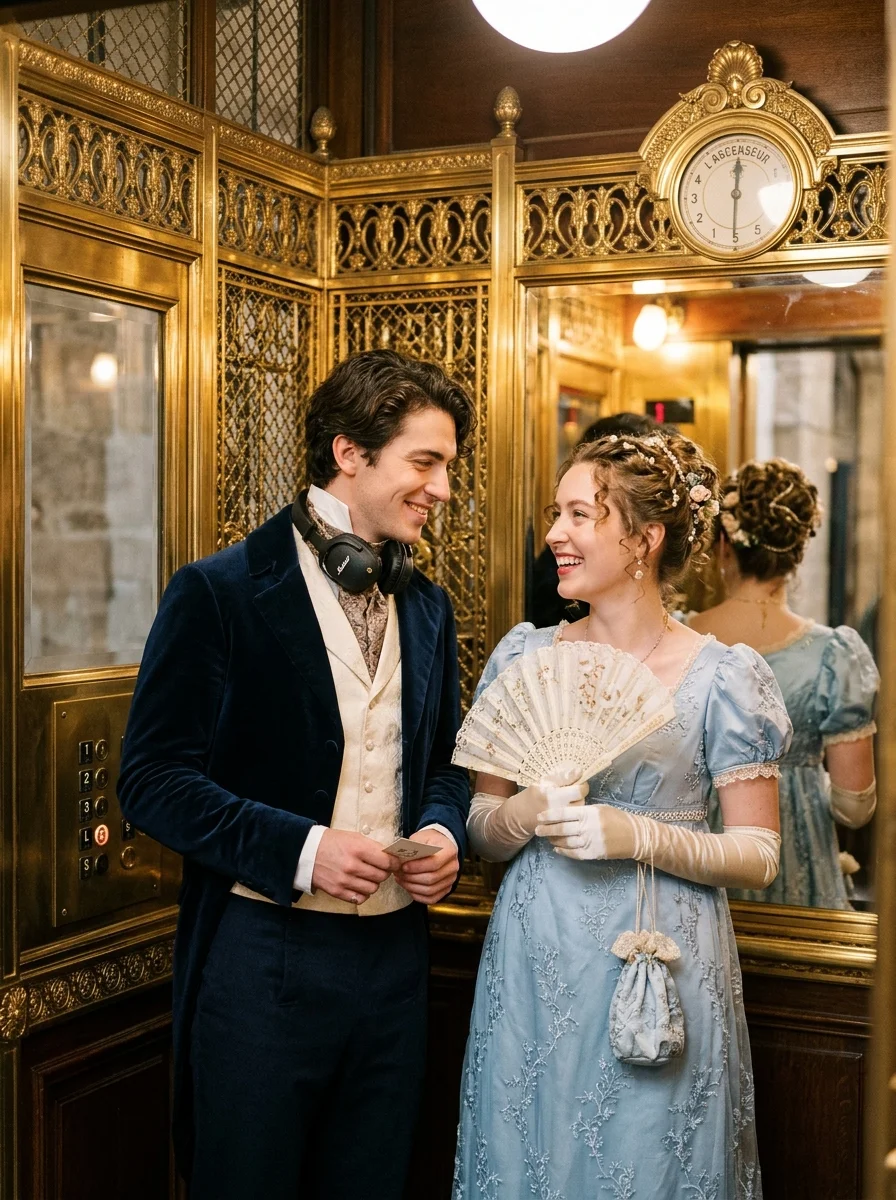
ROYAL REGENCY COURT MEETS INDIE
Infuse whimsical time-travel charm into romance. A dashing 19th-century aristocrat in a tailored cravat marveling at a modern Walkman, charming a noble regency lady in a gilded lift.
What Happens in the 15-Second I Love the Smiths AI Video? Shot by Shot
The clip holds one fixed close-up through four beats: the headphones settle, she turns and speaks, he meets her eyes and smiles, and the two nod along to the same song.
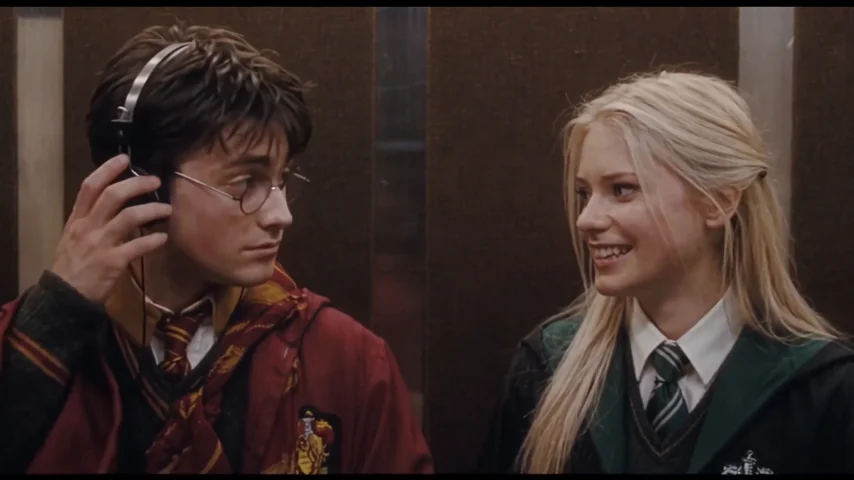
The Headphones Settle
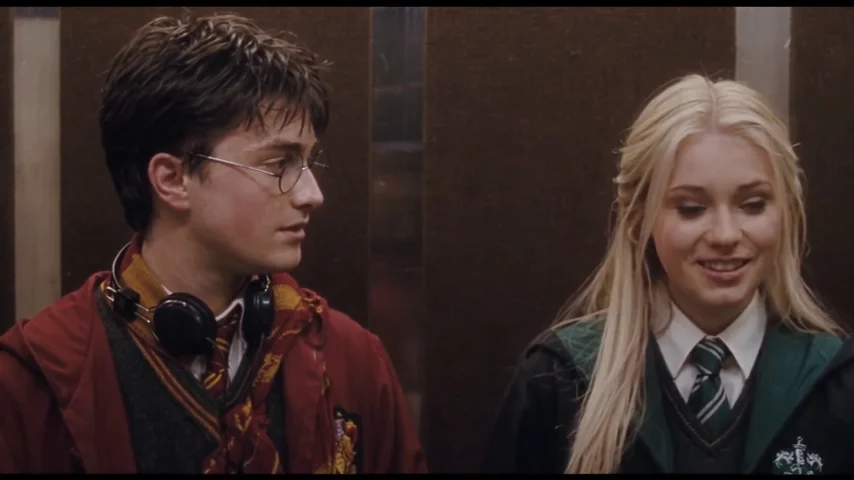
In a dark wood-paneled corridor, the left rider settles his over-ear headphones and looks straight ahead, while the platinum-blonde rider beside him glances over with an amused smile. The camera holds a fixed close-up on both faces.
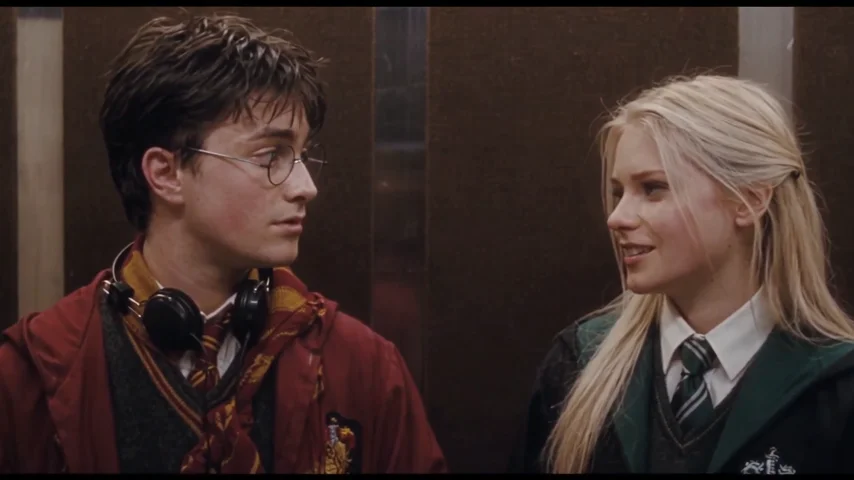
She Turns and Speaks
The right rider turns fully toward him and starts talking. He pulls one ear cup aside, meets her eyes, and his expression shifts from blank to attentive. The background and framing stay locked.
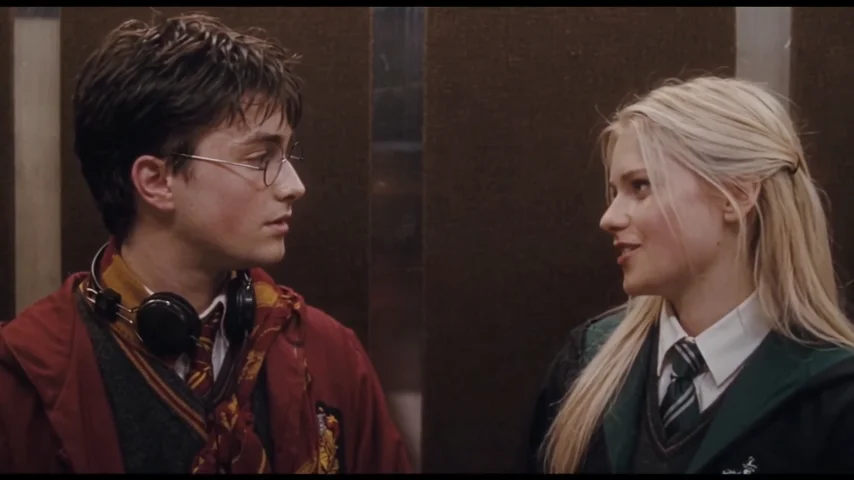
The Smile Lands
She keeps talking and smiles wider while he answers with a small smile and a nod. Their shoulders angle toward each other as the song on the headphones becomes the topic of the conversation.
The Nod-Along
Both riders nod lightly with the music and trade smiles. She keeps the conversation going, his headphone cup stays off one ear, and the fixed close-up ends on the two of them together.
How to Make an I Love the Smiths AI Video in 3 Steps
Upload two portraits, pick a resolution tier and generate a finished 15-second headphone-scene clip with the bench, the head turns and the synchronized audio already built in.
Upload Two Character Photos
Add a clear, front-facing portrait for Picture A (the headphones listener) and Picture B (the person who speaks first). Bright, even light with visible face, hair and upper body gives the cleanest match.
Pick Your Resolution Tier
Choose standard 480P (45 credits), 720P HD (90 credits) or 1080P Ultra (180 credits) depending on where you plan to post the clip.
Generate and Download
Hit generate and the cloud pipeline rebuilds the corridor bench, maps both identities into the roles and renders the head turns, eye contact and synchronized dialogue with the reference audio. Download the watermark-free MP4 and post it.
Photo Tips for a Cleaner I Love the Smiths AI Video
Use two sharp, evenly lit, front-facing portraits so both identities hold up while the camera stays locked and the characters trade glances.
Recommended Best Practices
Show the full head and upper body
The shot is a fixed close-up, so a readable face, hairstyle and shoulder line keep each character recognizable from the first frame to the last.
Match the two roles on purpose
Put the person who should wear the headphones in Picture A and the person who should speak first in Picture B; the roles are fixed by the slot.
Use even, natural light
Soft front light keeps skin tones and robe colors stable against the warm wood paneling and dim corridor lighting.
Keep the expressions neutral or softly smiling
A calm baseline gives the pipeline room for the small head turns and smiles that carry this quiet scene.
What to Avoid
Avoid sunglasses and face masks
Covered eyes remove the landmarks needed for eye contact, glances and the micro-expressions that sell the meet-cute.
Do not use group photos
Several faces make it unclear who should take which role. Use one clear subject per slot.
Avoid heavy filters and stickers
Aggressive smoothing or AR overlays distort contours and can flicker when the head turns.
Skip low-resolution screenshots
Compressed chat-app images lose fine detail and weaken the identity match as both characters move and speak.
I Love the Smiths AI Video Pricing and Credit Packs
Pay once, create when the trend peaks. Credits never expire, and failed generations are refunded automatically.
Starter
Makes 1× 480P standard video
Creator
Makes 1× 720P HD (or up to 3× 480P)
Studio
Makes 1× 1080P Ultra (or up to 6× 480P)
Frequently Asked Questions About I Love the Smiths AI
Everything you need to know about pricing, music sync, video duration, and photo compatibility.
A generation costs 45 credits at standard 480P, 90 credits at 720P HD and 180 credits at 1080P Ultra.
One-time packs start at 6.99달러 for 50 credits, with no subscription.
Ready to Share One Song and One Look?
Upload two portraits and let the AI put you and your favorite person on the bench, trade one headphone cup and a knowing smile.
No credit card required to explore • Instant cloud access
Disclaimer: This service is an independent AI generative parody and meme creation tool for transformative entertainment and commentary purposes. It is not affiliated with, endorsed by, or sponsored by any artist, record label, or music publisher. All musical elements and choreography are generated under transformative fair use principles.