
Huell Money AI Video Generator: Two Photos, One Cash-Pile Meme
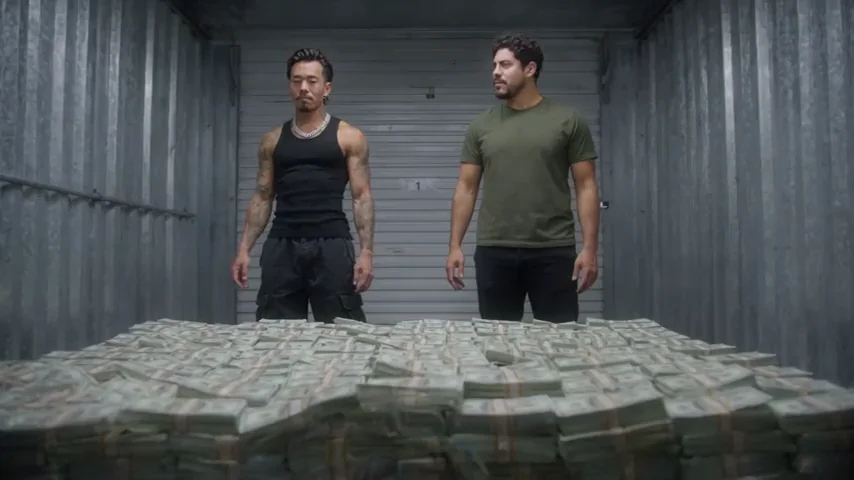
Upload two portraits and the AI casts them into the viral storage-unit money scene: one character sprawls across a giant bed of bundled hundred-dollar bills while the other stands beside the pile talking and gesturing, with the reference clip's camera moves and audio timing kept intact.
STUDIO WORKBENCH
By uploading, you confirm you're 18+, have permission to use this photo (no celebrities), and agree to our Terms of Service and Privacy Policy.
Watch a Real Huell Money AI Video Made with Our Generator
One 15-second take: two characters, one metal storage unit, and a bed made entirely of bundled cash.
What Is the Huell Money AI Trend and Where Did It Come From?
The picture is simple and instantly readable. A corrugated metal storage unit holds a bed made of tightly banded hundred-dollar bills, piled high enough to sit on. Two people share the frame: one ends up sprawling across the cash with eyes closed, the other stands beside the pile, talking and gesturing as if the situation needs explaining. Nothing else is in the room, so the pile and the two faces carry the whole joke.
The composition traces to Breaking Bad and the character Huell Babineaux, Saul Goodman's softly spoken bodyguard, who is remembered resting on a storage-unit fortune. The show and the character are the public reference point here. This page does not pin down an exact episode, season, or air date, because those details were not verified in the source notes used for this page, and the template itself is an independent AI reinterpretation rather than a clip from the series.
What travels online is the contrast: a calm person treating an absurd amount of cash like a mattress, and a friend who cannot believe it. People reuse that framing for sudden-wealth jokes, payday jokes, crypto jokes, and pet jokes, where a cat or dog claims the pile as its own. The format is a dialogue scene, not a music or dance challenge; the audio track is the reference clip's own performance, and no song title is claimed.
OnTrend AI turns the scene into a two-photo workflow. Upload one portrait for the character who ends up on the money bed and one for the co-star who stands beside it. The pipeline maps each identity onto its performer while preserving the metal walls, the bundled-bill foreground, the wide-to-overhead camera cut, and the embedded audio timing. The output stays in the reference clip's original landscape framing at 480P, with no crop and no upscaling.
How the AI Puts Two Photos on the Cash Pile
Our pipeline locks each uploaded identity onto its assigned performer and preserves the storage-unit set, the bundled-bill foreground, the camera coverage, and the clip's built-in audio sync.


Who Can Star in Your Huell Money AI Video?
Anyone with two clear portraits can star: crypto daydreamers, pets, grandparents, friends, or coworkers. The cash pile does the bragging for them.

MEMECOIN MILLIONAIRE
When your 3 AM altcoin bet finally hits 100x. Drop yourself onto the ultimate cash mountain.

FAT CAT FORTUNE
Zero rent paid, maximum comfort. Put your pet on the iconic cash bed.

GRANDMA'S PENSION
Baked cookies, stacked millions. Turn anyone into the coolest boss in the storage unit.
What Happens in the 15-Second Huell Money AI Video?
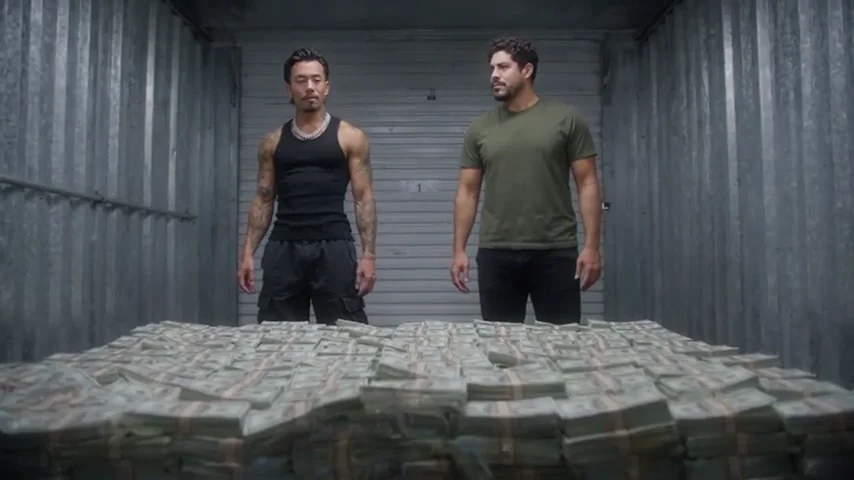
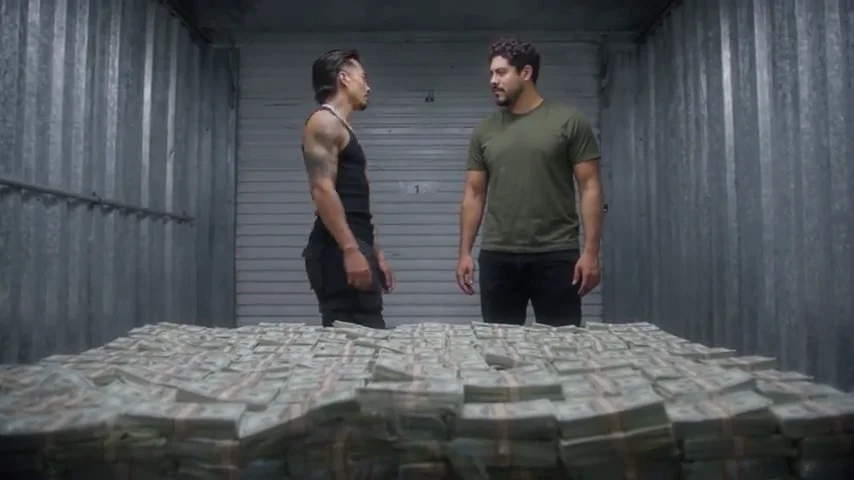
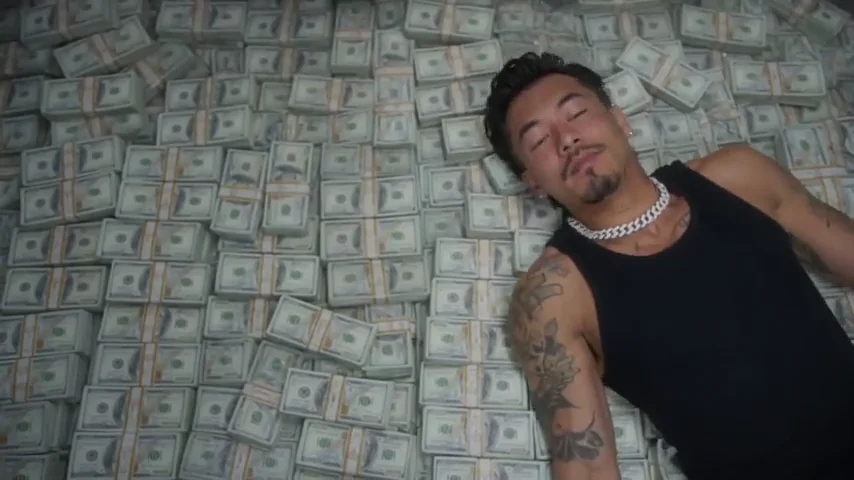
The clip moves through four fixed beats: the wide face-off behind the cash pile, the turn-and-talk exchange, the overhead shot onto the money bed, and the closing rest with eyes shut.
Two Men Behind the Cash Pile
A wide, symmetrical shot inside a corrugated metal storage unit. On the left, a figure in a black tank top with a silver chain and arm tattoos; on the right, a co-star in an olive-green tee. Both stand behind a giant bed of banded hundred-dollar bills that fills the foreground, looking toward each other.
The Turn and the Complaint
The two turn to face each other and talk, the left figure gesturing with one hand while the co-star answers. The camera holds a medium framing over the cash pile, keeping the metal walls and the roll-up door behind them in view.
Onto the Money Bed
A hard cut drops the camera overhead. The lead has settled back onto the bundled cash with eyes closed, the silver chain and tattoos visible against the bills, while stacks of banded money fill almost the entire frame.
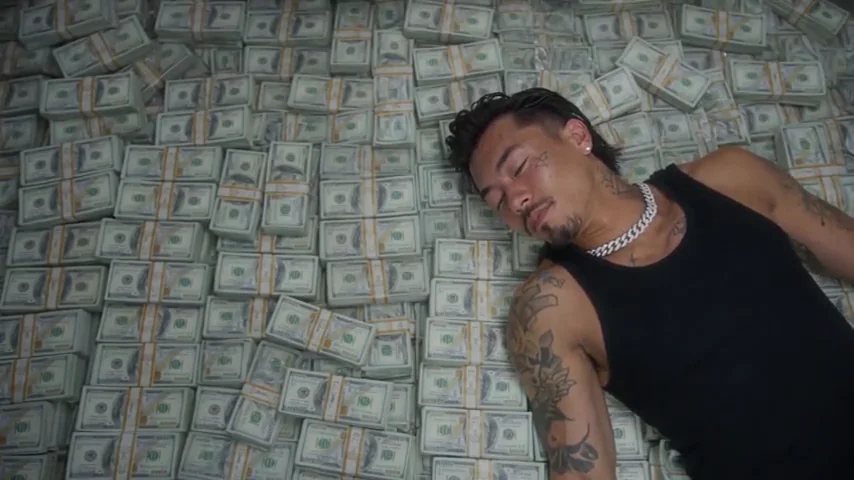
Lights Out on the Cash
The overhead shot tightens onto the lead's head and shoulders resting on the money bed, eyes still shut and expression calm. The camera holds on the quiet finish until the clip ends.
How to Make a Huell Money AI Video in 3 Simple Steps
Upload two portraits, click generate, and download your finished 15-second money-pile video.
Upload Two Portrait Photos
Pick a clear, front-facing photo for Picture A (the money-bed lead) and Picture B (the cash-pile co-star).
Generate the Money Scene
The pipeline maps both identities onto their performers and keeps the container set, bundled-cash foreground, camera cut, and audio timing from the reference clip.
Download and Share
Preview your 480P landscape MP4, download it watermark-free, and post it to TikTok, Instagram Reels, YouTube Shorts, or Facebook.
Best Photo Tips for a Cleaner Huell Money AI Video
Use two sharp, evenly lit, front-facing portraits so the AI can hold both identities from the wide face-off through the overhead money-bed finish.
Recommended Best Practices
Pick two solo portraits where each face and pair of shoulders is clear and unobstructed.
Use bright, even lighting so the eyes, nose, and mouth are easy to read in both photos.
Show the outfit you want each performer to wear, especially the top and neckline.
For pet photos, keep the face, ears, and distinctive markings in focus for both animals.
What to Avoid
Avoid blurry, low-resolution screenshots or heavily compressed images.
Do not cover faces with masks, oversized sunglasses, or raised hoods.
Avoid extreme side profiles or steep downward angles that hide facial geometry.
Avoid heavy beauty filters that erase natural facial features.
How Much Does a Huell Money AI Video Cost?
Pay only for what you generate. Credits never expire and failed generations are automatically refunded.
Starter
Makes 1× 480P standard video
Creator
Makes 1× 720P HD (or up to 3× 480P)
Studio
Makes 1× 1080P Ultra (or up to 6× 480P)
Frequently Asked Questions About Huell Money AI
Everything you need to know about pricing, music sync, video duration, and photo compatibility.
A video generation costs 45 credits.
Our flexible packs start at $6.99 for 50 credits, $12.90 for 140 credits, and $24.90 for 280 credits with no recurring monthly commitment.
Ready to Make Your Own Huell Money AI Video?
Upload two photos now and drop yourselves into the storage-unit cash scene everyone keeps reposting.
No credit card required to explore • Instant cloud access
Disclaimer: This service is an independent AI generative parody and meme creation tool for transformative entertainment and commentary purposes. It is not affiliated with, endorsed by, or sponsored by any artist, record label, or music publisher. All musical elements and choreography are generated under transformative fair use principles.