
Rush Hour Fantasy AI Video Generator: Put Your Squad in the Carpool Seat
Upload three portraits and the AI fills every seat of the fixed windshield shot — the passenger, the pet in the middle, and the driver behind the wheel — while heads and expressions move to the embedded beat.
STUDIO WORKBENCH
By uploading, you confirm you're 18+, have permission to use this photo (no celebrities), and agree to our Terms of Service and Privacy Policy.
Watch Real Rush Hour Fantasy AI Videos Made with Our Generator
Three 15-second takes from the same windshield angle: the live-action trio, a poodle road trip, and an all-pet squad.
What Is the Rush Hour Fantasy AI Trend and Where Did It Come From?
The source scene is simple and instantly readable. In Rush Hour (1998), the consul's daughter Soo Yung sits in the back seat and sings along to Fantasy on the car stereo, completely absorbed, while the adults in the front seats react with the patience of people stuck in traffic. The joke works without any context: one passenger is having the time of their life, and everyone else has to live with it. That made the clip a durable meme, easy to recast with friends, couples, or pets.
The song is Mariah Carey's Fantasy, released in 1995. The film scene is from Rush Hour, the 1998 buddy-comedy starring Jackie Chan and Chris Tucker. The clip has circulated for years, and a Tubi official TikTok repost on August 10 2026 became a major second-wave moment, recorded by template trackers at roughly 3.8 million views and 314 thousand likes as of November 10 2026. Those numbers are third-party historical snapshots, not live official platform data.
The AI version is newer and much smaller. Around November 10 2026 AI video tools began offering photo-replacement templates for the scene; MakeViral recorded two tools with related templates at that point and only about 7 videos under #fantasyrushhour. The earliest AI creator is not confirmed. Treat this as an early, productized AI trend riding a well-known film meme, not as a proven mega-viral wave.
OnTrend AI turns the scene into a three-seat workflow. Upload a portrait for the front-seat passenger, one for the pet in the middle, and one for the driver, and the pipeline fills every seat while keeping the fixed windshield framing, the car interior, the daylight look, and the embedded track. The result is a 15-second MP4 at 480P in the reference clip's 720x1280 vertical framing. Heads, mouths, and expressions follow the beat; treat the mouth movement as an approximation rather than a precise lip-sync guarantee.
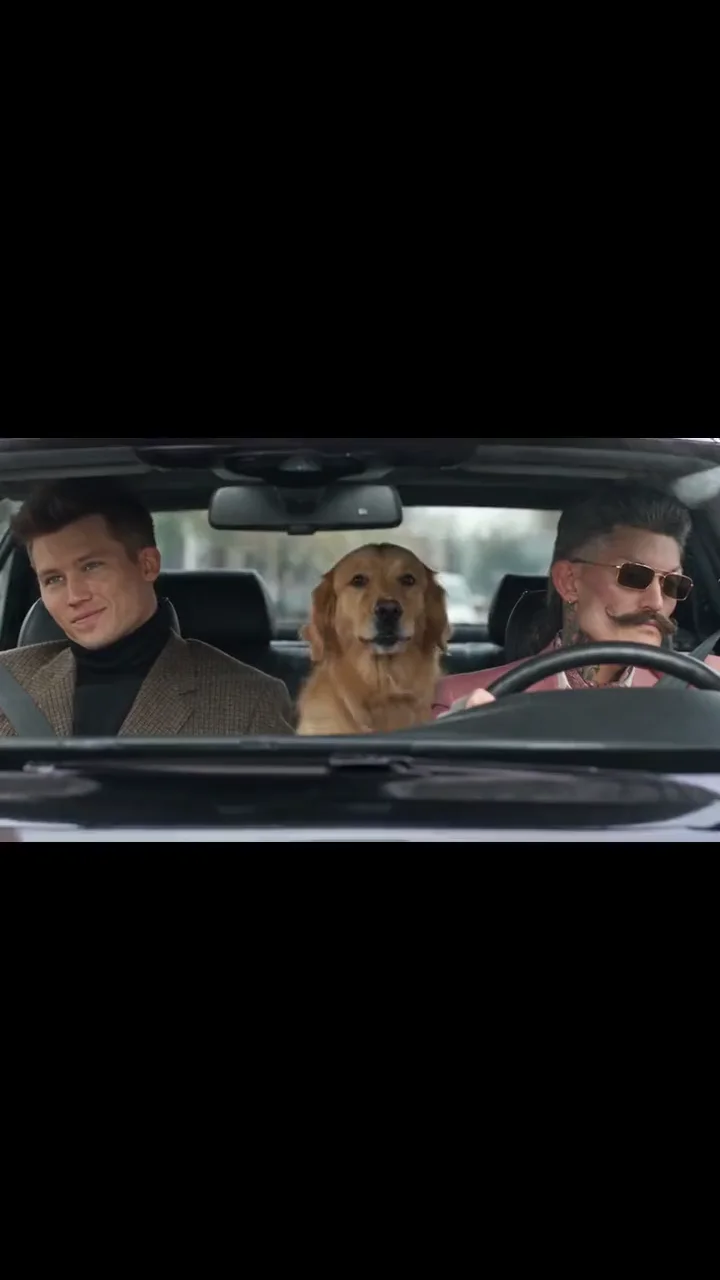
How the AI Fills All Three Seats with Your Photos
Our pipeline locks each uploaded identity onto its seat — passenger, middle pet, and driver — then keeps the windshield framing, car interior, head turns, and audio timing of the reference clip shot for shot.
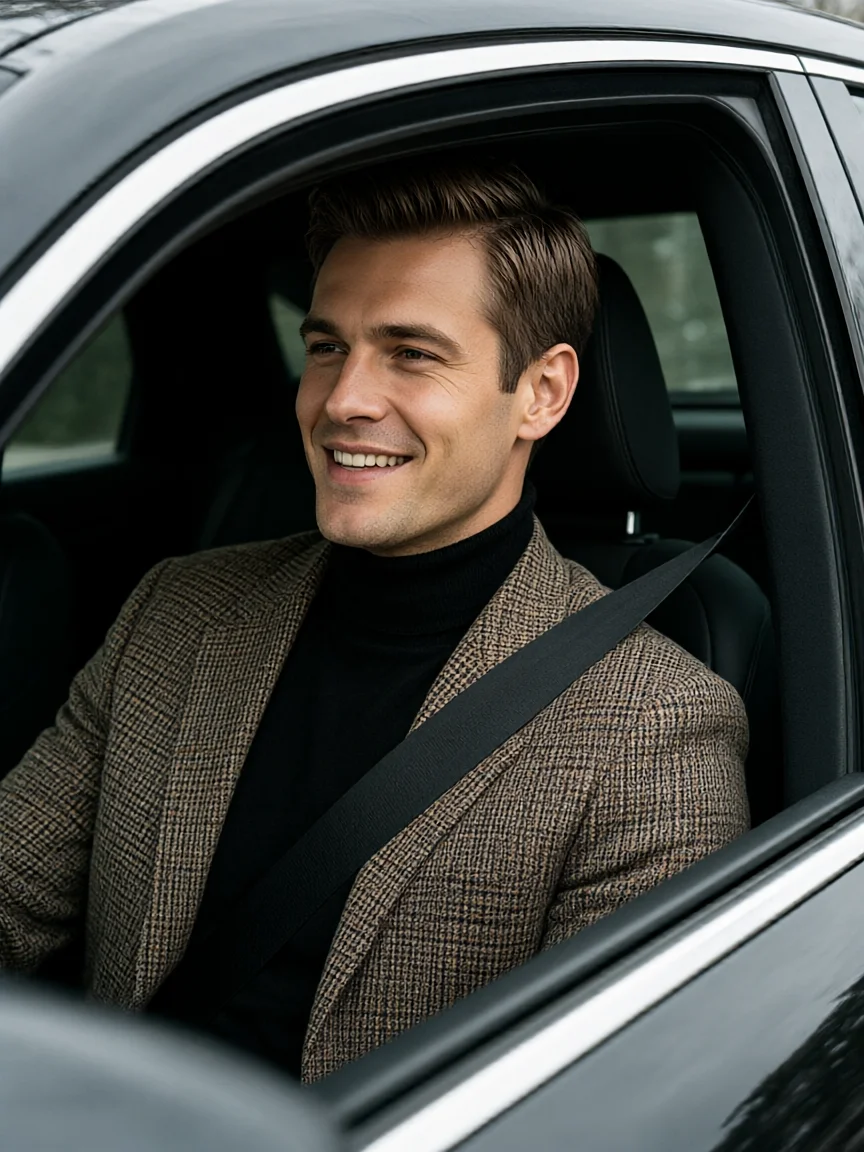
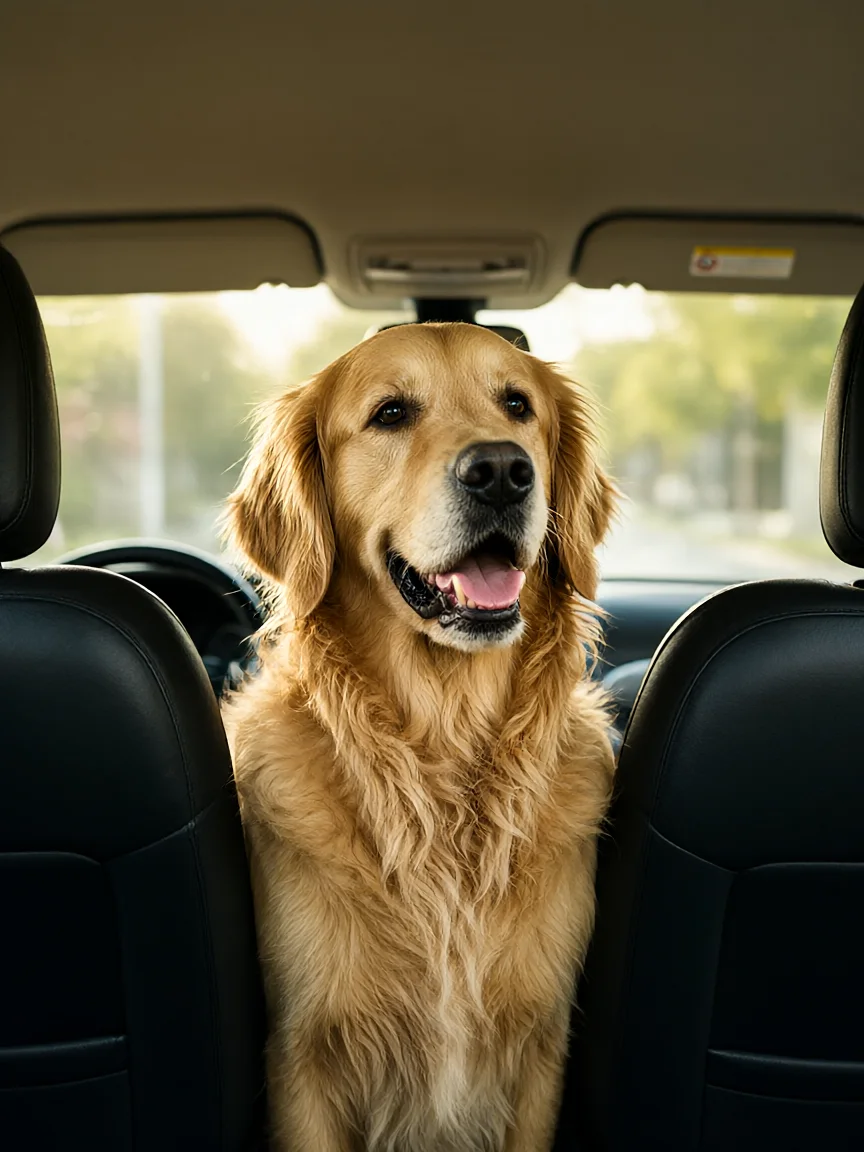
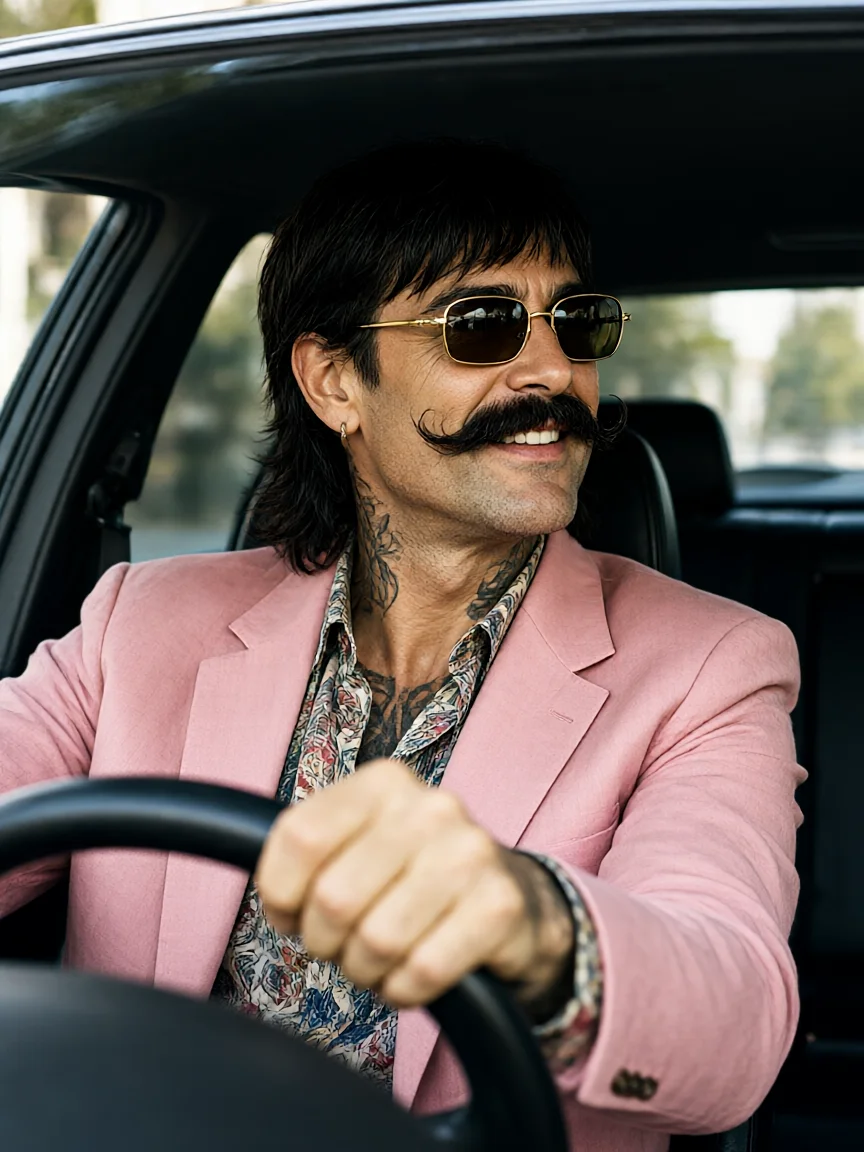
Who Can Star in Your Rush Hour Fantasy AI Video?
Anyone with three clear portraits can star: friends, a couple plus their dog, coworkers, or an all-pet squad. The fixed car interior makes every trio look like they have been carpooling together for years.
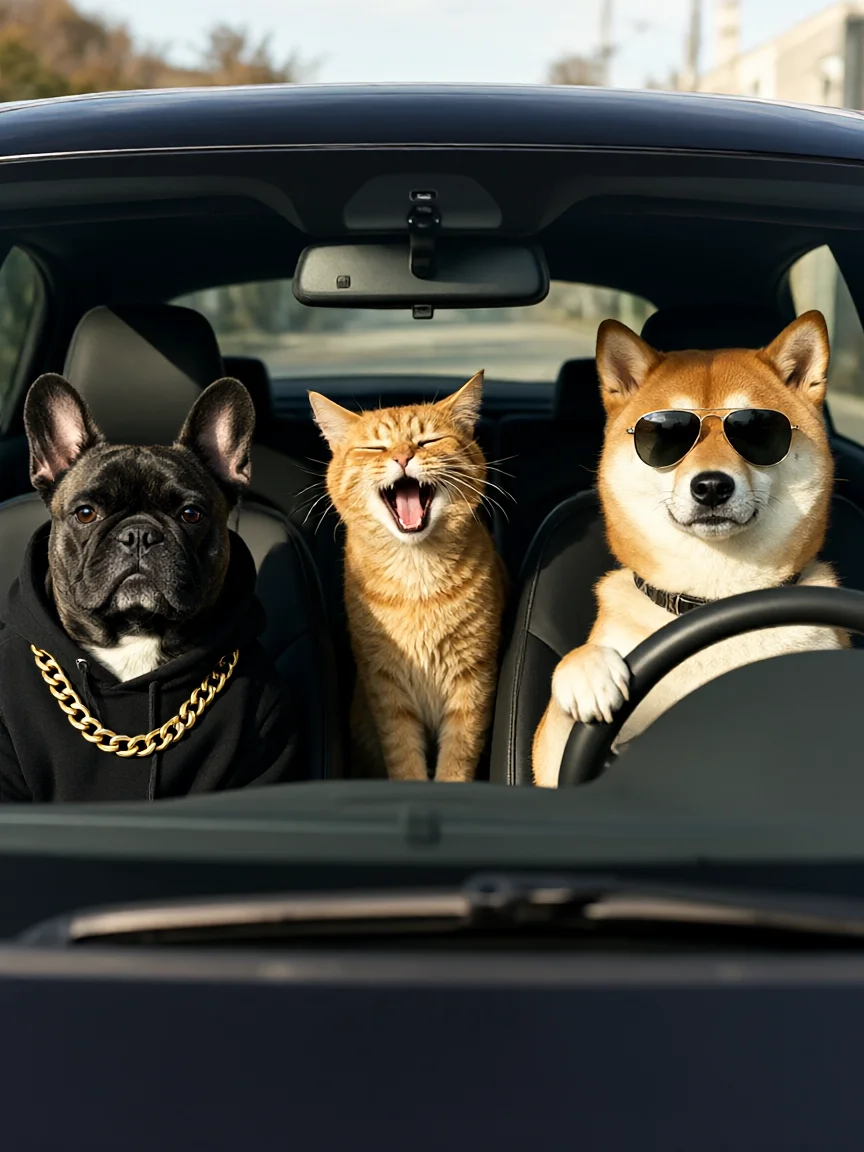
CHAOTIC PET SQUAD CARPOOL
Turn your furry friends into an unstoppable carpool karaoke trio, from a streetwear French bulldog to a singing orange tabby and a Shiba Inu behind the wheel.
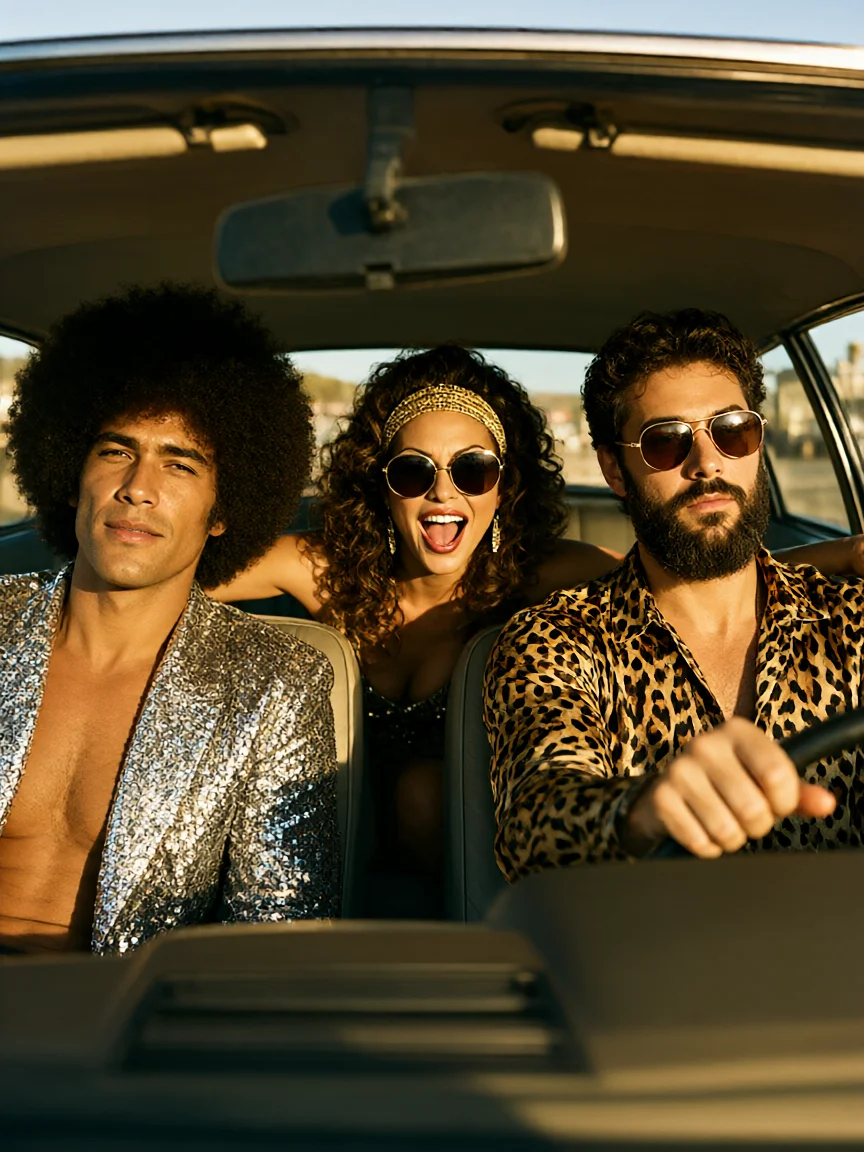
DISCO LEGENDS RUSH HOUR
Channel pure 70s groove and Mariah Carey nostalgia with sequin jackets, oversized shades, and retro curls on the commute.
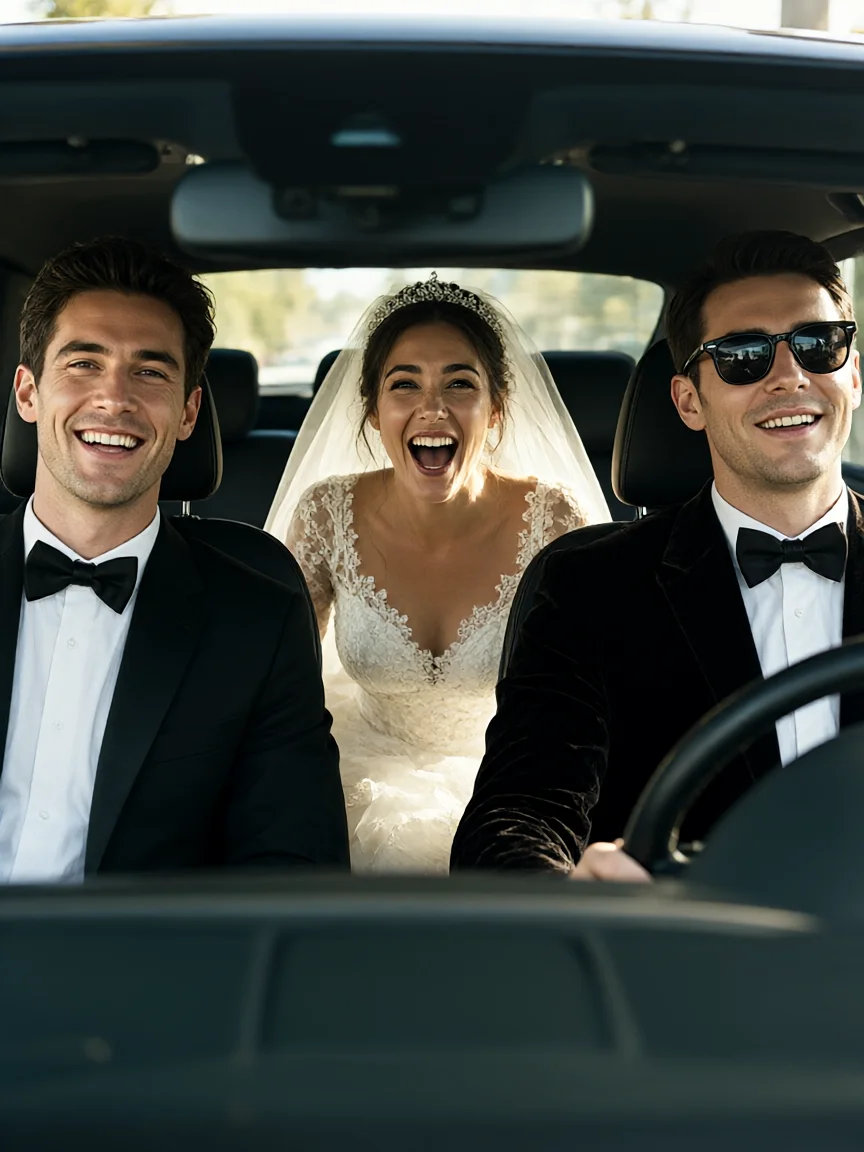
BRIDAL PARTY ROAD TRIP
Make your wedding crew the main characters of the celebration reel, with a tuxedoed groom, a veiled bride, and the best man steering the hype.
What Happens in the 15-Second Rush Hour Fantasy AI Video?
One fixed windshield shot runs the whole clip, and the four beats are carried by expressions and head movement: the settle-in, the first chorus, the beat-drop close exchange, and the final sing-along.
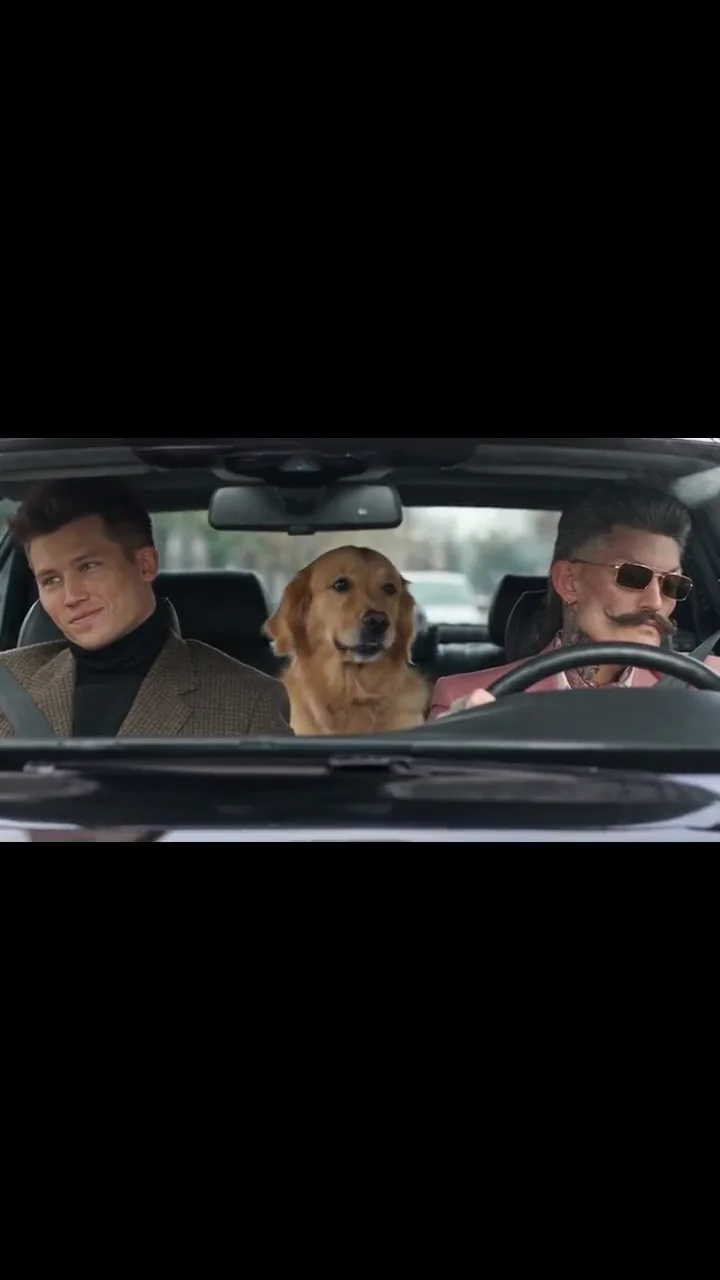
The Ride Settles In
The trio appears in the same fixed windshield framing. The passenger in the brown check blazer smiles toward the driver, the golden retriever rises between the seats with an open, happy face, and the driver in the pink blazer grips the wheel and glances left as the beat lands.
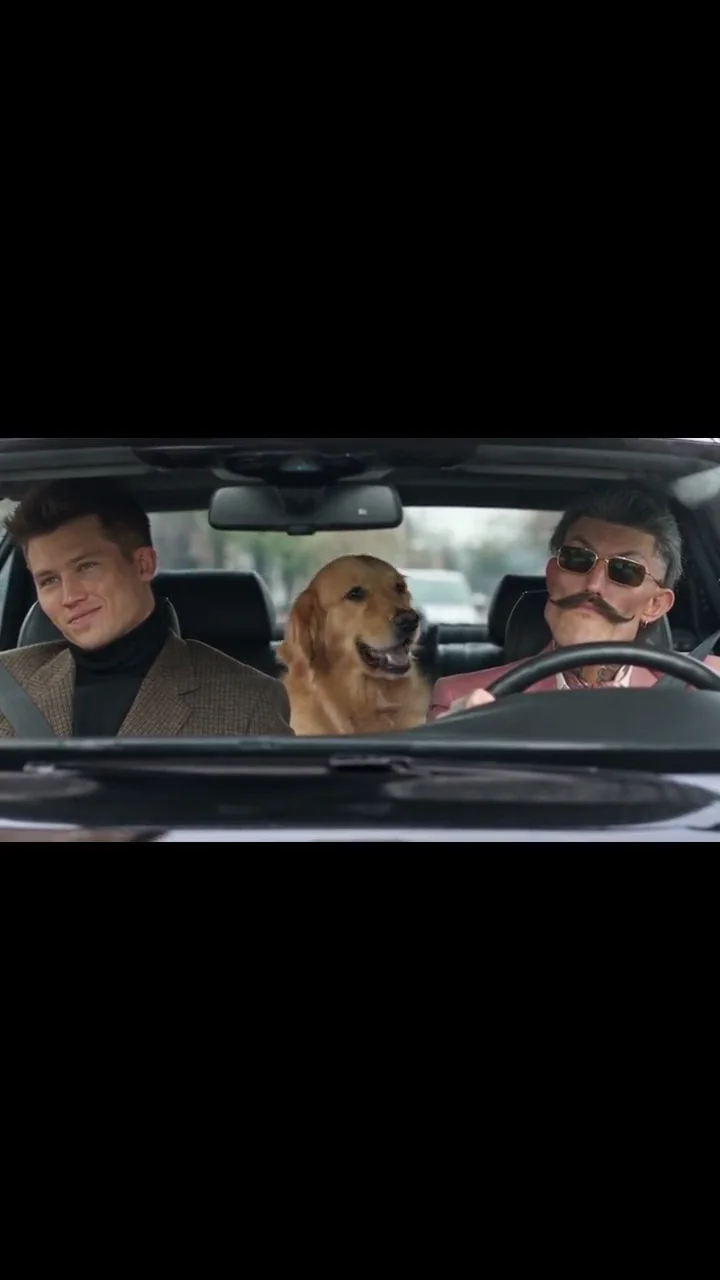
The First Chorus
The carpool locks into the groove. The dog opens its mouth wide in a singing expression, the driver's mouth moves with the track, and the passenger bobs his head with a grin while never leaving the seat.
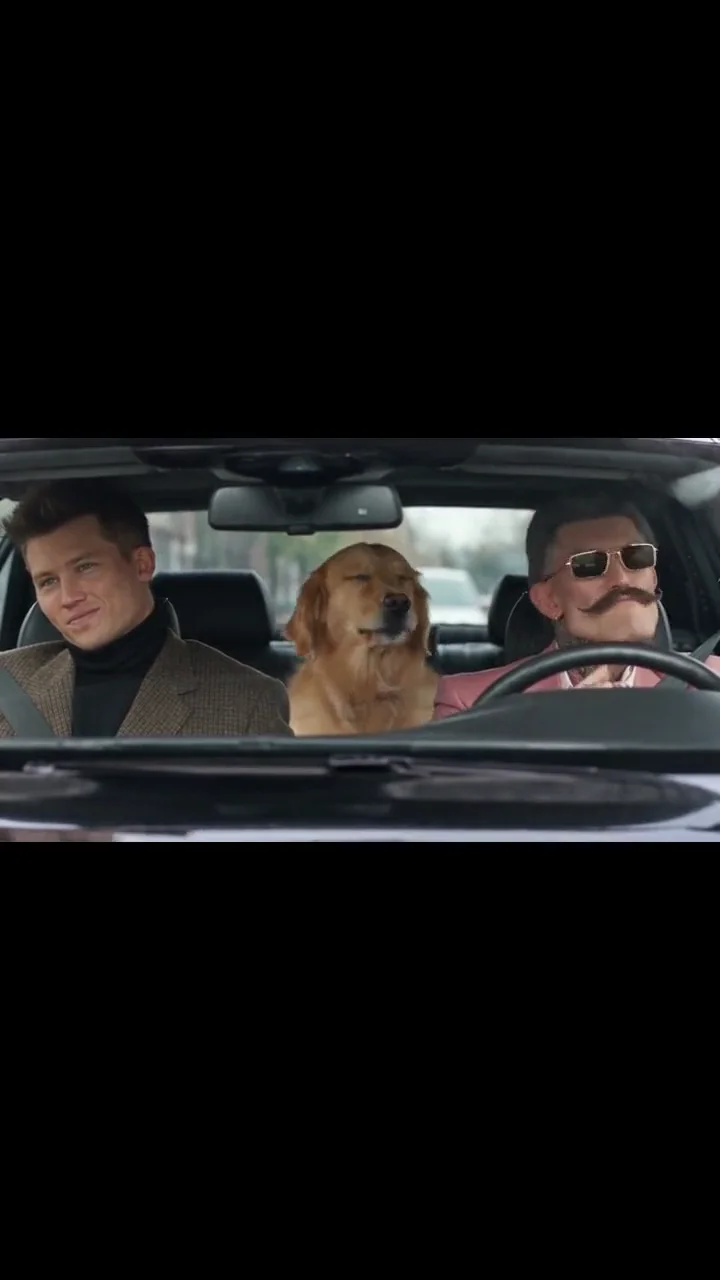
The Beat-Drop Exchange
The beat shifts and the expressions trade places. The dog closes its mouth and tilts its head, the passenger turns his grin toward the lens, and the driver tips his chin up, sunglasses fixed, keeping the same framing and interior.
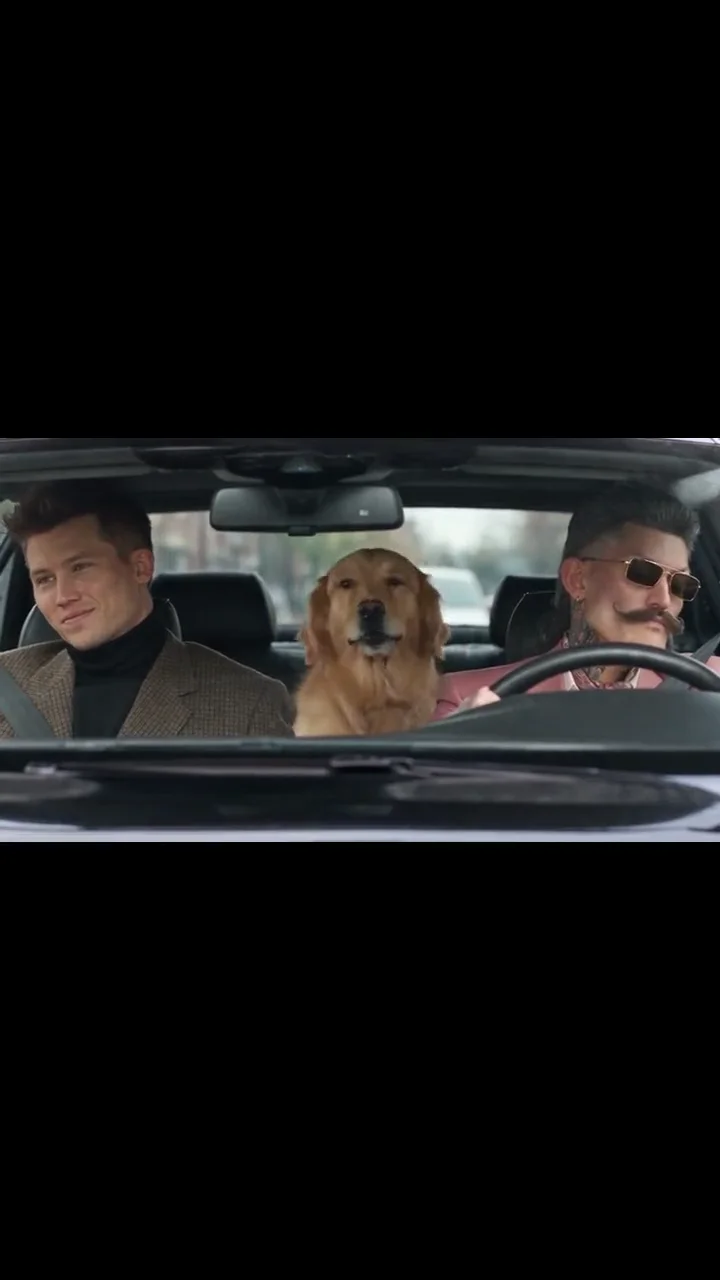
The Final Sing-Along
The last stretch brings the trio back together: the driver faces forward, the dog bobs between the seats with its tongue out, and the passenger keeps the chorus going as the fixed windshield shot holds to the end.
How to Make a Rush Hour Fantasy AI Video in 3 Simple Steps
Upload three portraits, click generate, and download your finished 15-second carpool karaoke video.
Upload Three Portrait Photos
Pick a clear, front-facing photo for Picture A (the passenger), Picture B (the pet), and Picture C (the driver).
Generate the Carpool
The pipeline maps each identity onto its seat and keeps the windshield framing, car interior, daylight look, and audio timing from the reference clip.
Download and Share
Preview your 480P MP4, download it watermark-free, and post the clip to TikTok, Instagram Reels, or YouTube Shorts.
Best Photo Tips for a Cleaner Rush Hour Fantasy AI Video
Use three sharp, evenly lit, front-facing portraits so the AI can hold every identity from the settle-in through the final chorus.
Recommended Best Practices
Pick three solo portraits where each face and pair of shoulders is clear and unobstructed.
Use bright, even lighting so the eyes, nose, and mouth are easy to read in every photo.
Show the outfit you want each performer to wear, including the passenger's blazer and the driver's jacket.
For pet photos, keep the face, ears, and distinctive markings in focus.
What to Avoid
Avoid blurry, low-resolution screenshots or heavily compressed images.
Do not cover faces with masks, oversized sunglasses, or raised hoods.
Avoid extreme side profiles or steep downward angles that hide facial geometry.
Avoid heavy beauty filters that erase natural facial features.
How Much Does a Rush Hour Fantasy AI Video Cost?
Pay only for what you generate. Credits never expire and failed generations are automatically refunded.
Starter
Makes 1× 480P standard video
Creator
Makes 1× 720P HD (or up to 3× 480P)
Studio
Makes 1× 1080P Ultra (or up to 6× 480P)
Frequently Asked Questions About Rush Hour Fantasy AI
Everything you need to know about pricing, music sync, video duration, and photo compatibility.
A video generation costs 45 credits.
Our flexible packs start at $6.99 for 50 credits, $12.90 for 140 credits, and $24.90 for 280 credits with no recurring monthly commitment.
Ready to Make Your Own Rush Hour Fantasy AI Video?
Upload three photos now and turn the daily commute into a carpool chorus.
No credit card required to explore • Instant cloud access
Disclaimer: This service is an independent AI generative parody and meme creation tool for transformative entertainment and commentary purposes. It is not affiliated with, endorsed by, or sponsored by any artist, record label, or music publisher. All musical elements and choreography are generated under transformative fair use principles.